BuhoCleaner
BuhoCleaner is a professional disk cleaning tool for Mac, offering efficient junk file scanning, duplicate file detection, powerful app uninstallation, and startup item optimization. Free up hard drive space and boost system performance with one click. Supports large file management and system status monitoring. Suitable for older Macs and new users, it's simple and reliable, helping your Mac run efficiently.
Prices and billing cycles may contain errors. Please refer to the seller page.
You will be redirected to a third-party platform for transaction.
BuhoCleaner - Professional Mac Disk Cleanup Tool
BuhoCleaner is a professional system cleanup and optimization tool for the Mac platform, dedicated to helping users free up hard drive space, boost system performance, and breathe new life into older devices.
Core Highlights
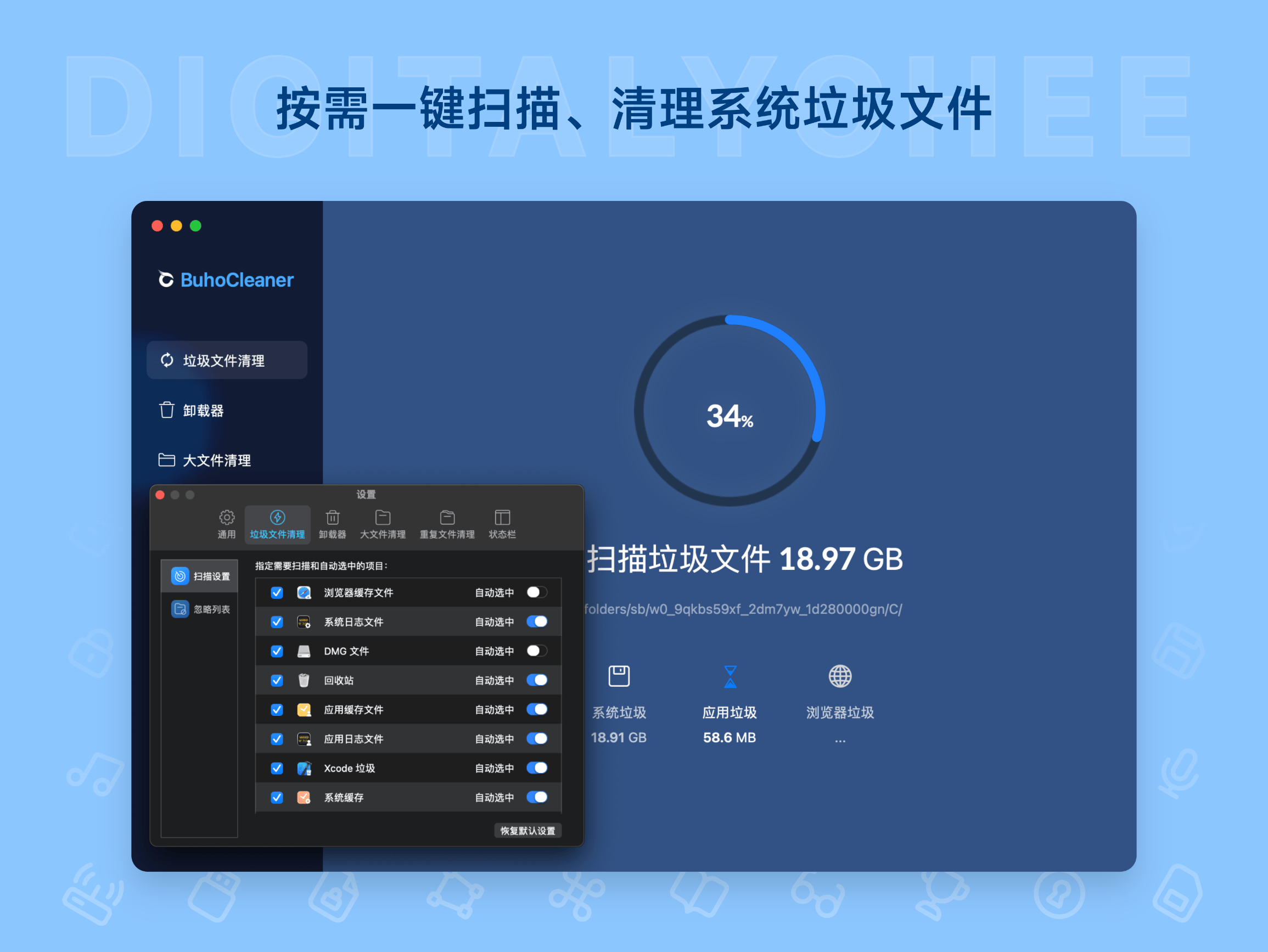
- One-Click Scan & Clean: Quickly scans and cleans junk files, duplicate files, and large files, providing intuitive analysis of hard drive usage.
- Powerful App Uninstaller: Deeply uninstalls applications, removing leftover files from previous software to ensure complete removal.
- Optimize Startup Items: Disables unnecessary services from launching at startup, frees up memory with one click, significantly improving Mac speed.
- System Status Monitoring: Displays real-time hardware status like CPU load, fan speed, and network speed, keeping you informed about system health.
- More Practical Features: Includes convenient operations like Xcode cleanup, permanent file deletion, and DNS refresh.
Detailed Feature Introduction
Storage Space Cleanup: Through intelligent scanning, identifies and cleans system-generated junk like caches, logs, and temporary files. One-click operation frees up significant space. The disk space analyzer provides visual charts for a clear understanding of storage usage, preventing waste.
Duplicate File Scanner: Efficiently scans for large and duplicate files, helping users quickly identify the main space occupiers on the disk and easily delete redundant files. Particularly useful for handling large files like photos and videos, avoiding duplicate space usage and making room for new content.
Powerful App Uninstaller: Unlike standard uninstallation, BuhoCleaner performs a deep scan to remove all related files of an app, including configuration files and caches, ensuring a thorough uninstall. This is highly effective for cleaning up unused software and preventing leftover files from occupying space.
Optimize Running Speed: Manages startup items by disabling unnecessary services, reducing boot time. The one-click memory release function instantly boosts system responsiveness, making the Mac run smoother, especially beneficial for older devices.
System Status Monitoring: Monitors CPU load, memory usage, fan speed, and network speed in real-time, allowing users to promptly identify potential issues, keep the Mac in optimal condition, and prevent system lag.
Other Convenient Features: Provides an Xcode cleanup tool for developers; securely deletes files to prevent data recovery; quickly refreshes DNS to resolve network issues, comprehensively optimizing the user experience.
Applicable Scenarios
- Older Mac Devices: When your older Mac system slows down, BuhoCleaner can quickly free up hard drive space, save storage, improve overall performance, and extend the device's lifespan.
- New Mac Users: Even beginners can easily use BuhoCleaner to optimize their system, achieving good results without professional knowledge—simple and reliable.
- Design & Photography Enthusiasts: Faced with massive amounts of photo and video material, BuhoCleaner's large and duplicate file scanner efficiently cleans the disk, freeing up space for new content and improving work efficiency.
How to Use
After purchase, download and run BuhoCleaner. Click "Purchase Full Version" at the bottom left and enter the activation code to activate all features. The trial version offers limited functionality; trying it first is recommended. The interface is in Chinese and is intuitive to operate.
Purchase & Activation
- Specification Options: Choose between a Trial version (limited features) or a Pro version (permanent use).
- Activation Method: Enter the activation code after running the software; activation completes automatically.
- After-Sales Support: Officially authorized, provides basic installation and activation support for a worry-free experience.
Experience BuhoCleaner now to revitalize your Mac and enjoy a more efficient, smoother user experience!
Product information is for reference only. Please refer to the purchase page.