DockFlow
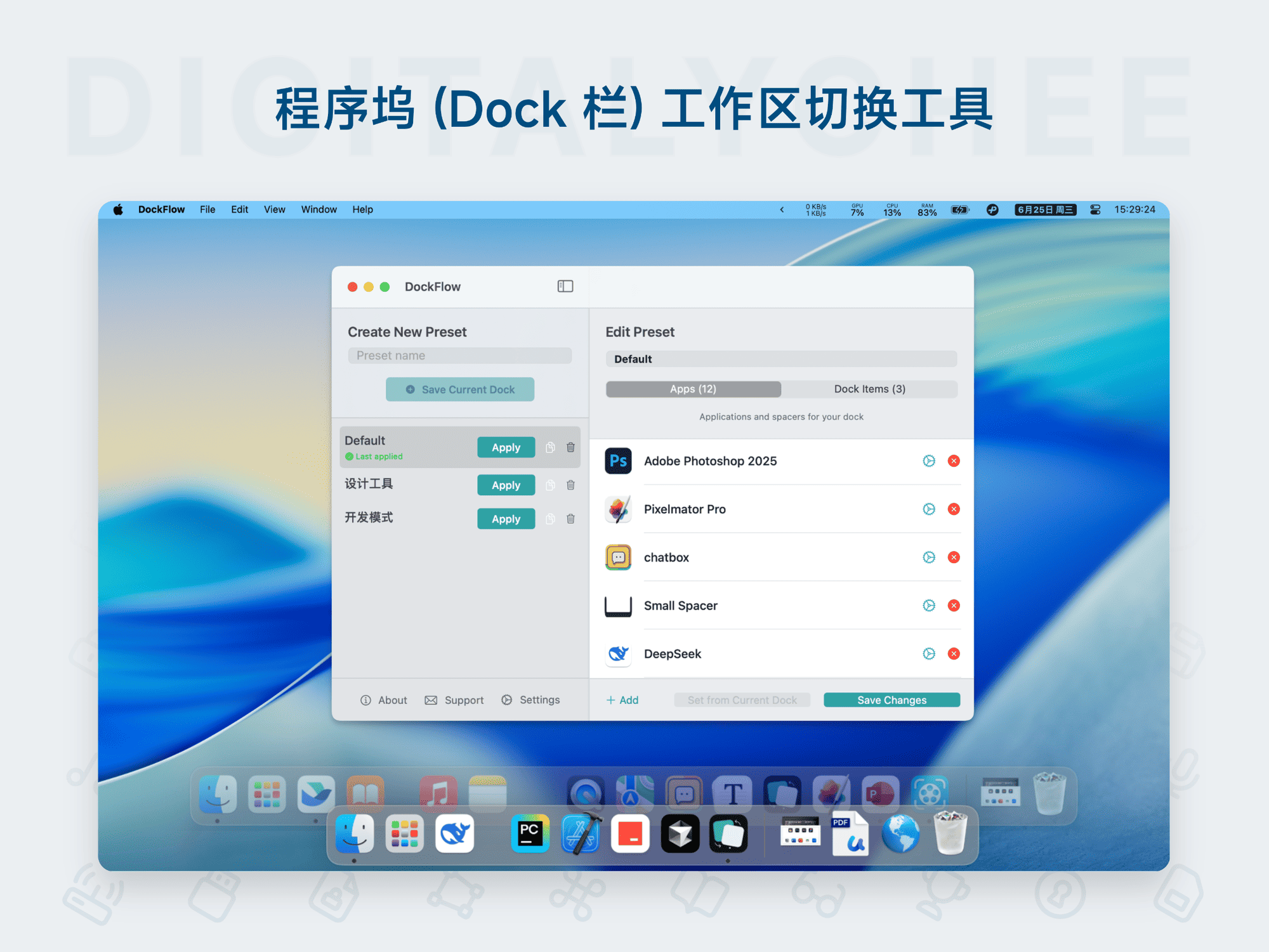
DockFlow is a custom layout tool for the macOS Dock, designed to help users quickly create and switch between multiple icon schemes to adapt to different work scenarios. Core features include: one-click Dock layout switching, support for adding folders, files, website links, and blank spacers; efficient operation via the menu bar, keyboard shortcuts, or Shortcuts; automatic closure of inactive apps and configuration backup support. It boosts productivity, keeps the desktop tidy, and makes multitasking smoother.
Prices and billing cycles may contain errors. Please refer to the seller page.
You will be redirected to a third-party platform for transaction.
DockFlow is a revolutionary macOS Dock customization layout tool designed to enhance work efficiency. It allows users to create multiple sets of icon layout schemes, switch between different work scenarios with one click, completely solve Dock clutter, and achieve personalized workflow management.
Key Highlights
- Multi-scheme Creation: Easily set up icon combinations for different scenarios, such as Development Mode, Design Mode, Meeting Mode, etc., customizing the order of applications and folders to optimize the work environment.
- Quick Switching: Instantly switch to the target layout scheme via the menu bar icon, custom keyboard shortcuts (e.g., Ctrl+Alt+D), or shortcuts, eliminating the need to manually adjust each icon.
- Item Addition: Supports adding folders, individual files, and website links to the Dock for one-click access to frequently used resources, reducing mouse movement and search time.
- Spacer Items: Provides large/small width spacer items to freely adjust icon spacing, avoiding layout crowding and improving visual neatness and operational efficiency.
- Configuration Management: Export/import layout configuration files for easy system migration, backup, or sharing of personalized settings, ensuring work environment consistency.
- Advanced Features: Automatically closes applications not in the layout upon switching to avoid distractions; automatically saves the current layout before switching to prevent data loss; supports custom gesture operations to enhance user experience.
Applicable Scenarios
- Individual Developers: Quickly switch between programming IDEs (like Xcode) and design software (like Figma) to efficiently complete development tasks and asset creation, avoiding frequent manual Dock adjustments.
- Business Professionals: Display collaboration tools like Zoom, Slack with one click during meetings, and seamlessly transition back to productivity software like Microsoft 365 afterwards, maintaining focus and improving collaboration efficiency.
- Work-Life Balancers: Keep only work applications in Office Mode, and quickly access Spotify, browsers, etc., in Entertainment Mode, clearly separating work and life to avoid distractions.
- Daily Efficient Operations: Add frequently used folders (like project files), high-frequency files (like reports), and web links (like internal systems) to the Dock for intuitive and efficient access to key resources, reducing operational steps.
User Guide After installing DockFlow, run the program and click the interface to create a new layout scheme. When adding items, you can choose applications, folders, or links, and set a layout name. When switching schemes via the menu bar or keyboard shortcut, non-active applications are handled automatically. Activation requires entering the purchased activation code (verified via the Keyper option). The product offers a One-Year Edition (1 year of free updates) and a Lifetime Edition (unlimited use), supporting activation on 1-3 devices, with automatic delivery to email or SMS from the official website.
DockFlow is crafted for Mac users, making the Dock the central hub for multitasking through intelligent layout management. Whether you are a developer, designer, or general office worker, it can significantly enhance operational efficiency, keep your work environment organized, and provide a smoother macOS experience.
Product information is for reference only. Please refer to the purchase page.