FocuSee 2
FocuSee 2 is a dual-platform screen recording software for Windows and macOS, offering efficient audio-visual recording, intelligent tracking and zoom, AI noise removal, and automatic subtitle generation. It supports subtitles in 50+ languages and features professional editing tools like cropping and spotlight effects. Ideal for creating tutorial videos, sharing game guides, and personal creative expression, it simplifies the video content creation process and enhances user efficiency.
Prices and billing cycles may contain errors. Please refer to the seller page.
You will be redirected to a third-party platform for transaction.
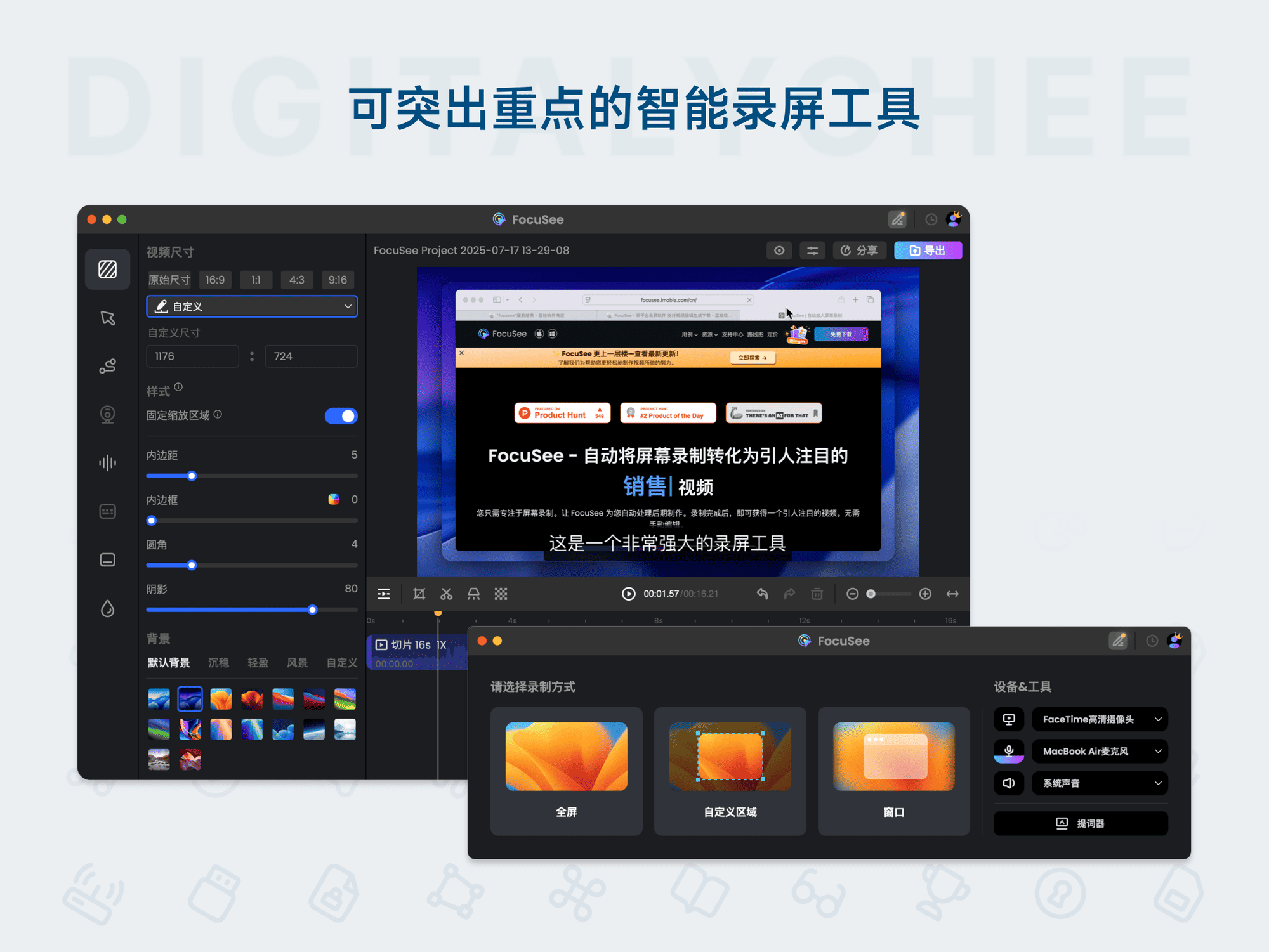
FocuSee 2 is a versatile screen recording software designed for Windows and macOS users, integrating screen recording, video editing, and subtitle generation into one, with efficiency, intelligence, and ease of use at its core, helping users easily create professional-grade video content. It not only provides basic screen recording functions but also integrates advanced AI tools and rich editing options, making the content creation process smoother.
Core Highlights
- Efficient Audio-Visual Recording: Simultaneously records screen footage, camera video, system audio, and microphone input, ensuring audio-visual synchronization, perfectly suitable for tutorial demonstrations and instructional video production.
- Intelligent Tracking and Zoom: Automatically detects mouse pointer position and zooms in on the screen, highlighting key operations, effectively enhancing video content comprehensibility and preventing viewer distraction.
- AI Smart Assistant: Built-in AI functions automatically remove coughs and unnecessary pauses, improving audio quality; one-click generation of digital human avatars for virtual explanations, saving time and cost.
- Automatic Subtitle Generation: Based on advanced speech recognition technology, quickly and accurately recognizes recordings and generates subtitles, supporting over 50 languages including Chinese, English, French, and German, greatly improving video accessibility and meeting multilingual needs.
- Professional Editing Tools: Provides rich functions such as frame cropping, segment trimming, adjusting aspect ratios, adding spotlight effects, etc., meeting various editing needs and creating high-quality videos.
Detailed Feature Introduction FocuSee 2 has significant advantages in screen recording. Users can customize the recording area, choose full-screen or specific window recording, and support camera overlay functionality, achieving seamless integration of screen and live presenter, suitable for scenarios like game guide sharing. In terms of beautification styles, the software offers rich customization options, including shadows, rounded corners, and background settings, making video appearance more aesthetically pleasing and professional. In the AI editing stage, the software automatically optimizes video content, removing unnecessary audio parts, significantly reducing post-processing time. The subtitle generation function supports real-time preview and editing, ensuring subtitle accuracy, while being compatible with multiple languages. Additionally, it supports online sharing and preview functions, exporting to MP4 or GIF formats, and adding custom watermarks to protect creative results, suitable for branded content creation.
Applicable Scenarios
- Education and Training: Teachers and instructors use FocuSee 2 to create video courses; the intelligent subtitle function helps students understand content, and the local zoom function highlights demonstration key points, improving classroom effectiveness.
- Gaming Community: Players record gameplay while showcasing operational skills, sharing strategy insights, attracting audience interaction, and enhancing community activity.
- Content Creation: Bloggers and creators utilize the software's beautification and editing functions to produce high-quality video content, enhancing personal brand influence and audience appeal.
- Corporate Presentations: Used for product demos, meeting records, etc., professional output enhances communication effectiveness and improves work efficiency.
- Personal Creative Expression: Supports rich beautification styles, easily creating eye-catching personalized videos to express personal creativity, suitable for sharing on social platforms.
FocuSee 2 makes video production simple and efficient through its comprehensive feature set and user-friendly interface. After purchase, quickly obtain the activation code via the automatic delivery system (web/SMS/email) for easy activation. Whether a beginner or a professional, everyone can find suitable tools to improve content creation efficiency and meet diverse needs.
Product information is for reference only. Please refer to the purchase page.