Folder Preview Pro
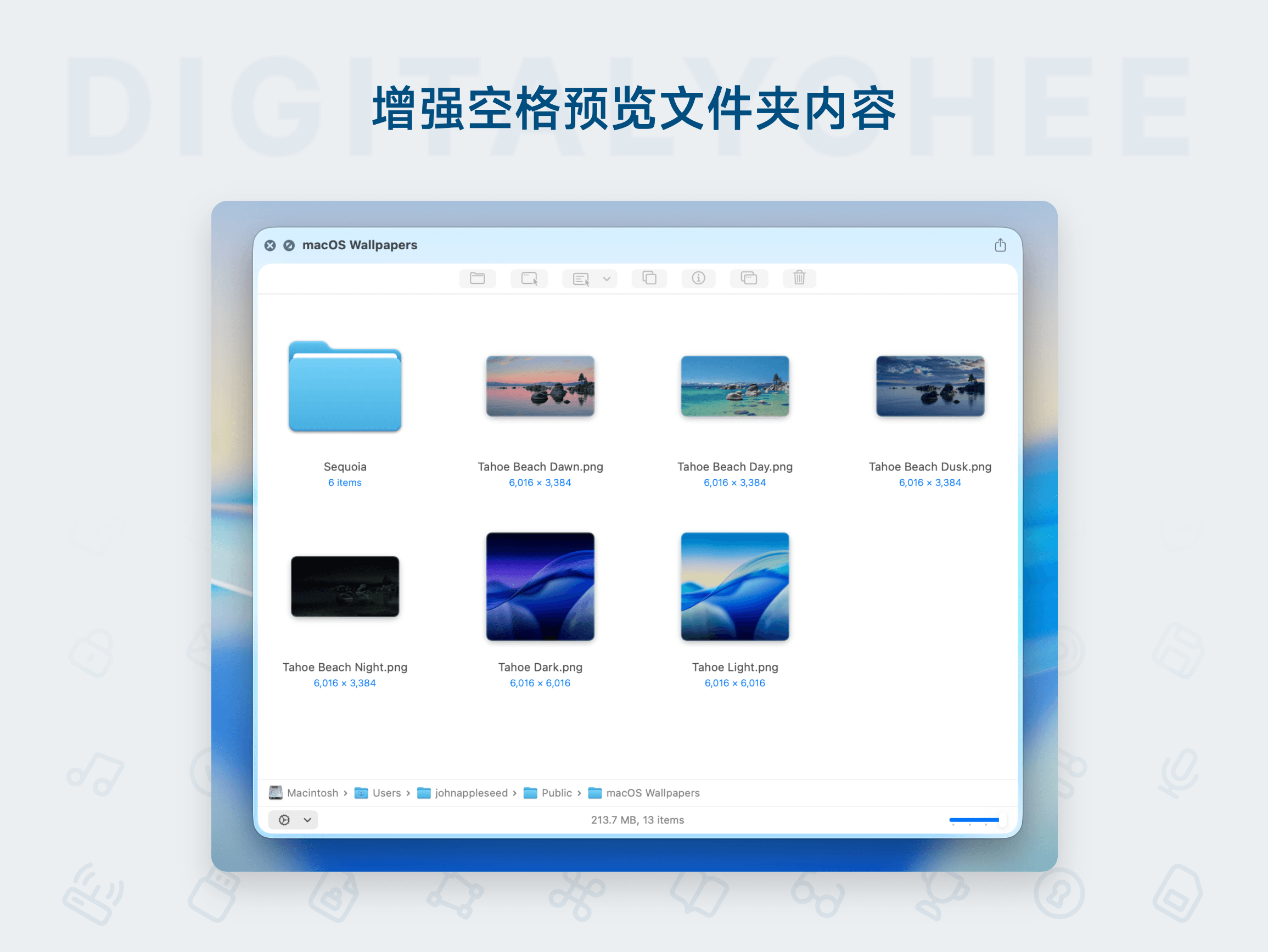
Folder Preview Pro is a folder preview tool designed for macOS, enabling you to quickly view folder contents without opening them. It supports real-time previews for various file formats, greatly enhancing file management efficiency. With a clean, intuitive interface, it provides one-click access to key information like file name, size, and modification time, making it ideal for users who frequently handle large volumes of files, saving time and improving workflow.
Prices and billing cycles may contain errors. Please refer to the seller page.
You will be redirected to a third-party platform for transaction.
Folder Preview Pro - Mac Folder Preview Tool
Core Highlights:
- Preview Without Opening Folders: Quickly view folder contents without entering the folder, significantly improving work efficiency.
- Supports Multiple File Formats: Real-time preview of images, documents, videos, audio, and other file types to meet diverse needs.
- Intuitive Interface Design: Clear and straightforward layout for one-click viewing of key information like file name, size, and modification time.
- Customizable Preview Modes: Adjust the preview display according to personal preferences, supporting thumbnail or list views.
- Efficient File Management: Quickly filter, sort, and tag files to help users locate needed files promptly.
Detailed Feature Introduction:
Real-Time Preview Functionality Traditional file management requires opening folders to view contents, but Folder Preview Pro allows users to directly preview all files within a folder in the file manager without clicking to enter. Whether images, documents, or multimedia files, they can be quickly displayed in the preview window, greatly reducing operational steps.
Smart File Filtering Built-in powerful filtering functionality supports quick file filtering by type, size, modification time, and other criteria. Users can quickly categorize needed files through custom rules, avoiding repetitive searches in large file collections.
Batch Operation Support Supports batch operations on multiple files, such as renaming, moving, and deleting. The batch processing feature in the preview window allows handling dozens of files simultaneously, saving significant time.
Highly Customizable Interface Users can adjust the preview window layout, font size, color themes, and more according to personal habits, ensuring the interface aligns with usage preferences. It also supports saving common settings as presets for quick switching.
Application Scenarios:
- Designers and Creative Professionals: Quickly browse design drafts and material files without repeatedly opening folders, enhancing work efficiency.
- Project Managers: When handling large volumes of project files, quickly preview folder contents to confirm file status.
- Data Analysts: When organizing and checking data files, use the preview function to quickly locate needed files.
- Daily Office Users: Simplify document management processes, reduce unnecessary operational steps, and improve office efficiency.
Why Choose Folder Preview Pro?
Compared to other file management tools, Folder Preview Pro focuses on optimizing the preview function, providing a more intuitive and convenient user experience. Its lightweight design ensures it doesn't consume excessive system resources while maintaining high performance. Both professional and general users can quickly get started, significantly improving file management efficiency.
Experience Now
Click Purchase Link to get Folder Preview Pro and make file management simpler and more efficient!
Product information is for reference only. Please refer to the purchase page.