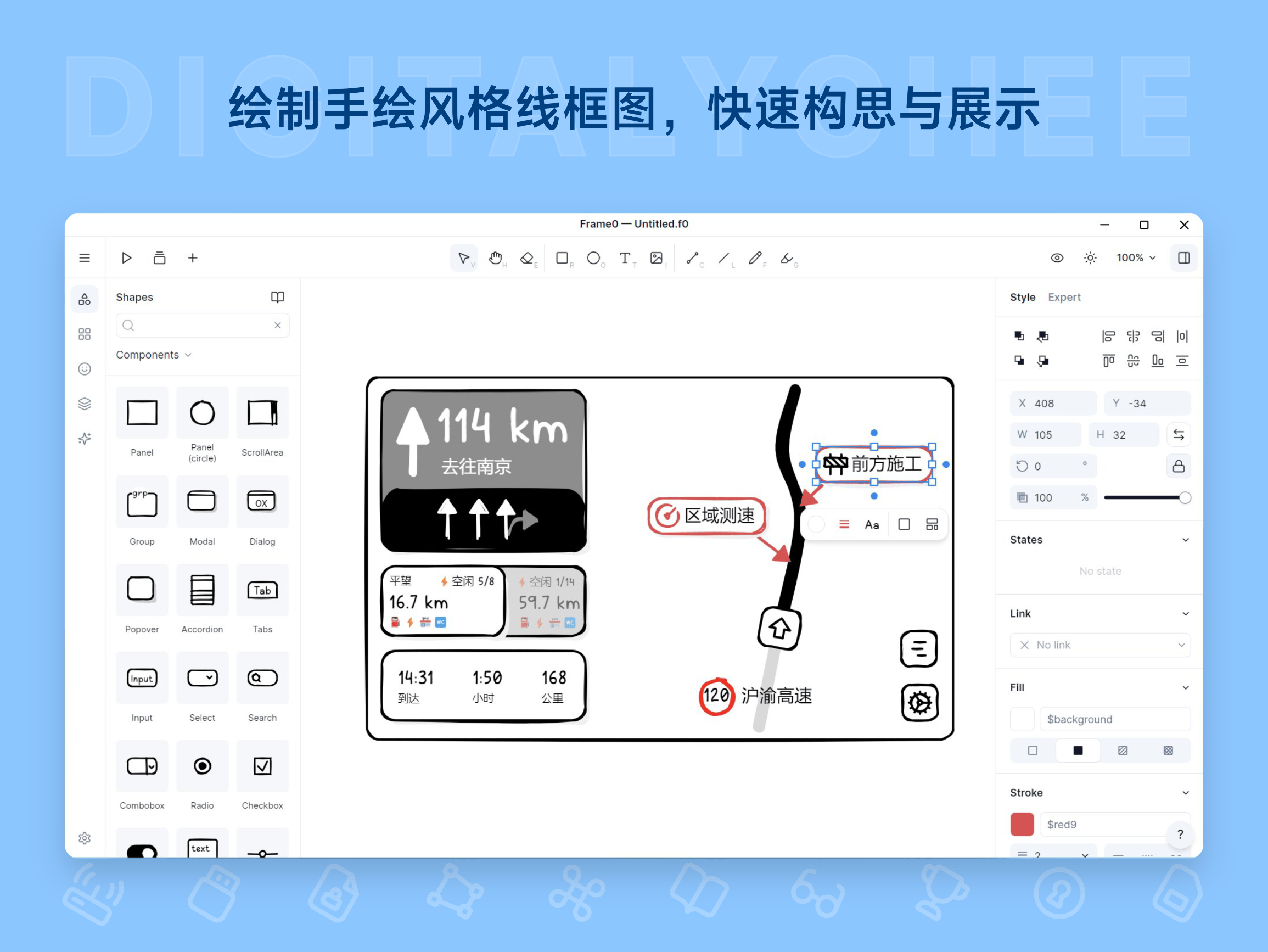
Frame0
Frame0 is a hand-drawn style wireframing tool built for designers and product managers. It features a rich library of UI components and a unified hand-drawn style library, supporting rapid prototype creation with reduced focus on visual details. It offers pre-designed templates, linked page demos, and reusable mirrored frames, helping users efficiently brainstorm and present ideas. Suitable for quick note-taking, team collaboration, and teaching demonstrations, it simplifies the design process and boosts productivity.
Prices and billing cycles may contain errors. Please refer to the seller page.
You will be redirected to a third-party platform for transaction.
Product Overview
Frame0 is a powerful and easy-to-use wireframing tool designed for designers and product managers. It features a unique hand-drawn style that quickly transforms conceptual ideas into visual prototypes. It comes with a rich library of UI components, including vector icons for mobile, desktop, and web interfaces such as buttons and charts, all in a unified hand-drawn style. This simplifies the design process, allowing users to focus on core ideas rather than visual details.
Core Highlights
- Hand-Drawn Style Sketches: Reduces the demand for visual detail, encourages rapid sketching, helps users quickly capture ideas and logic, and avoids being constrained by details.
- Built-in Rich Component Library: Provides components for mobile, desktop, and web interfaces, such as buttons, forms, and icons. All elements are vector-based, allowing free scaling and editing to ensure drawing flexibility.
- Pre-designed Templates: The Pro version includes templates for common platforms like mobile apps and website layouts, serving as a starting point for wireframes, significantly saving time and effort, and facilitating quick project initiation.
- Linked Page Demonstrations: Wireframe shapes can link to other pages, creating seamless user flow demonstrations that clearly show interaction logic and support multi-page navigation simulation.
- Mirrored Frame Reuse: Turn drawn shapes into frames for reuse in multiple locations; modifications update in real-time, reducing repetitive work and improving collaboration efficiency.
- Prototype Publishing and Export: Real-time prototypes can be exported as interactive HTML or in formats like PNG, SVG, and JPEG for easy sharing and presentation to teams or clients.
- Multi-Platform Support: Compatible with macOS, Windows, and Linux systems, offering permanent usage rights and free minor version updates to ensure long-term stability.
Application Scenarios
- Product Managers Capturing Inspiration: Quickly capture creative ideas, use graphics to annotate thinking logic, conduct requirement discussions, and validate solutions to avoid losing ideas.
- Small Team Prototype Presentations: Utilize the mirrored frame feature to reduce repetitive modifications; the presentation mode provides a clear structure, aiding project reporting and client demonstrations, and improving collaboration quality.
- Teaching and Learning Demonstrations: Provide a process visualization tool for students and instructors in classrooms or training sessions, making complex concepts easy to understand and supporting interactive teaching experiences.
- Personal Design Projects: Use for personal prototype design, enabling rapid iteration of ideas without professional design skills and accelerating product development cycles.
Why Choose Frame0?
Frame0 makes wireframing simple and efficient through its intuitive interface and powerful features. Its hand-drawn style not only lowers the design barrier but also encourages rapid iteration and idea expression. The Pro version offers more advanced features, such as watermark-free exports and access to the full template library, suitable for users requiring professional output. For teams or individuals needing to quickly create prototypes, Frame0 is an ideal tool to enhance efficiency, helping to transform concepts into actionable visual designs.
Activation and Usage
After purchase, users can activate the software using an activation code: After running Frame0, click "≡ > Help > License activation..." in the top-left corner and paste the activation code. The software offers a trial version with limited features, allowing users to experience core functionalities first. After activation, automatic delivery (web/SMS/email) is supported for convenient access.
Product information is for reference only. Please refer to the purchase page.