Longshot
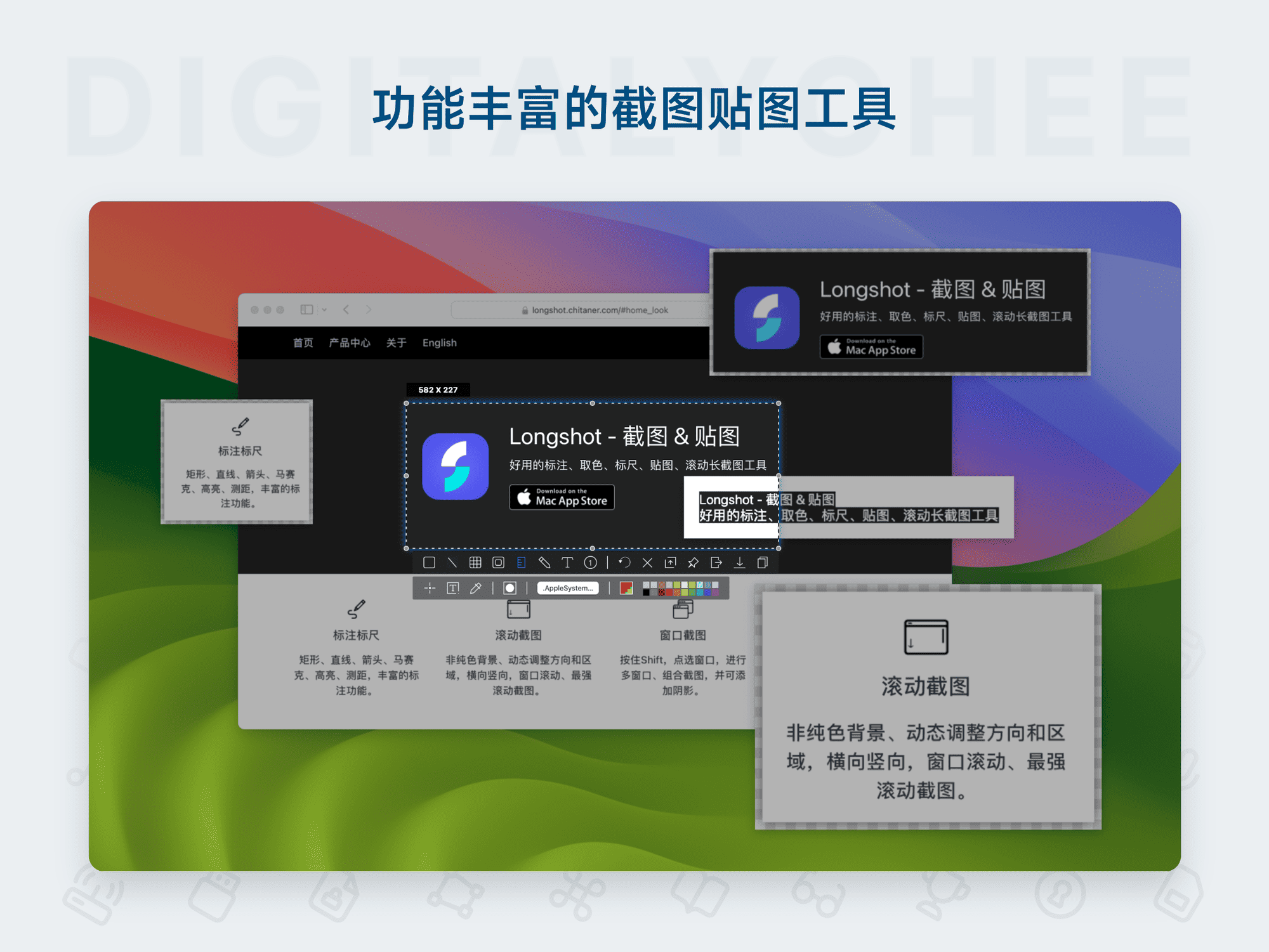
Longshot is a lightweight screenshot and pinning tool specifically designed for Mac users. Its core features include multi-directional scrolling screenshots, window combination capture, and rich annotation and measurement tools. It supports one-click pinning, OCR recognition, custom hotkeys, and multi-format saving, making it suitable for office, design, and team collaboration scenarios. With simple and efficient operation, it significantly improves screenshot processing efficiency, meeting both daily and professional needs.
Prices and billing cycles may contain errors. Please refer to the seller page.
You will be redirected to a third-party platform for transaction.
Longshot: A Detailed Look at the Mac Screenshot & Pinning Tool
Longshot is a lightweight screenshot and pinning software optimized for the Mac system, integrating scrolling screenshots, window combination capture, and smart annotation. With its intuitive interface and powerful feature set, it serves as an efficient assistant for office workers, designers, and team collaboration, simplifying complex screen operations.
Core Highlights
- Multi-Directional Scrolling Screenshot: Supports vertical, horizontal, and panoramic modes, automatically stitching edges and backgrounds to generate seamless long images, ideal for capturing long content like web pages and documents.
- Window Combination Capture: Intelligently recognizes window boundaries. Hold the Shift key to quickly combine multiple windows, completing complex layout screenshots with one click, eliminating manual cropping steps.
- Rich Annotation Features: Provides lines, arrows, text, mosaic blur, pixel color picker, and distance measurement tools, meeting precise annotation needs and improving efficiency in chart and interface explanations.
- One-Click Pin to Screen: Set images, text, or HTML to stay on top, supporting scaling, rotation, and transparency adjustment, facilitating multi-window reference and collaboration.
- OCR Recognition & QR Code: The Pro version offers unlimited OCR recognition, quickly extracting text from images; supports QR code and barcode scanning for direct link access or information retrieval.
- Customizable Hotkeys: Allows setting hotkeys for screenshots, pinning, hiding, and other operations according to personal habits, optimizing workflow and reducing mouse operations.
Detailed Feature Analysis
Screenshot & Pinning Workflow
Longshot offers three screenshot modes: standard, scrolling, and window capture. The scrolling screenshot feature is particularly outstanding, dynamically scrolling the page and stitching in real-time, avoiding the hassle of manual capture and stitching. After capture, add annotations directly on the image or choose the "Pin" function to keep content on top of the screen, enabling parallel operations across multiple windows. For example, during web design, you can scroll-capture an entire page and pin it as a reference while working in other software.
Annotation & Measurement Tools
Annotation tools include basic shapes like lines/arrows/rectangles, as well as a pixel color picker and a ruler tool. Designers can precisely measure pixel distances on screen to adjust layouts; the pixel color picker extracts color values from any point, enabling quick color scheme matching. The mosaic blur function protects sensitive information, ensuring screenshot security. These tools simplify design review and feedback processes.
OCR & Recognition Extensions
The Pro version unlocks unlimited OCR recognition capability, converting text within images into editable text, suitable for scanned document entry. It also quickly recognizes QR codes and barcodes, directly opening web pages or retrieving product information, speeding up information processing. The free version provides 12 OCR uses per day, meeting basic needs.
Use Cases
Efficient Daily Office Assistance
When handling emails, presentations, or reports, Longshot helps quickly take screenshots and annotate key data. For example, use arrows to highlight important numbers in a table, or scan a QR code to access a meeting link, reducing text input and improving communication efficiency. Supports custom save paths and formats for easy archiving.
Essential for UI/Visual Design
Designers can use the on-screen ruler to precisely check interface consistency and the pixel color picker to match color values from design mockups. Vertical scrolling screenshots perfectly capture webpage layouts, avoiding fragmented stitching. Annotation tools clearly mark modification points, accelerating design review processes and improving output quality.
Seamless Team Collaboration
Team members can share reference images via the pinning feature: pin design mockups on top for colleagues to view in real-time during collaboration. Use text and graphic annotations to highlight modification requests, avoiding information gaps. Supports multi-device sync, ensuring smooth remote team collaboration and reducing communication costs.
Why Choose Longshot?
Compared to the system's built-in screenshot tool, Longshot offers more professional features like scrolling screenshots, window combination, and OCR recognition, with intuitive operation. The free version covers daily needs, while the Pro version unlocks unlimited OCR and advanced features, offering high value. It simplifies the screenshot processing workflow, focusing on improving work efficiency and accuracy, making it an indispensable productivity tool for Mac users.
Purchase Longshot now and experience a new, efficient way of screenshotting and pinning, making your work easier!
Product information is for reference only. Please refer to the purchase page.