OmniPlayer
OmniPlayer is a versatile media player built for Mac, supporting multiple video formats like MP4, MKV, and MOV. It integrates GIF capture, wireless screen mirroring, and intelligent subtitle management. Features include variable speed playback, frame preview, and custom audio adjustments. The VIP version unlocks advanced features like wireless casting to smart TVs and ad removal. Suitable for home entertainment, video learning, and GIF creation, it delivers an efficient and convenient audiovisual experience.
Prices and billing cycles may contain errors. Please refer to the seller page.
You will be redirected to a third-party platform for transaction.
Core Highlights
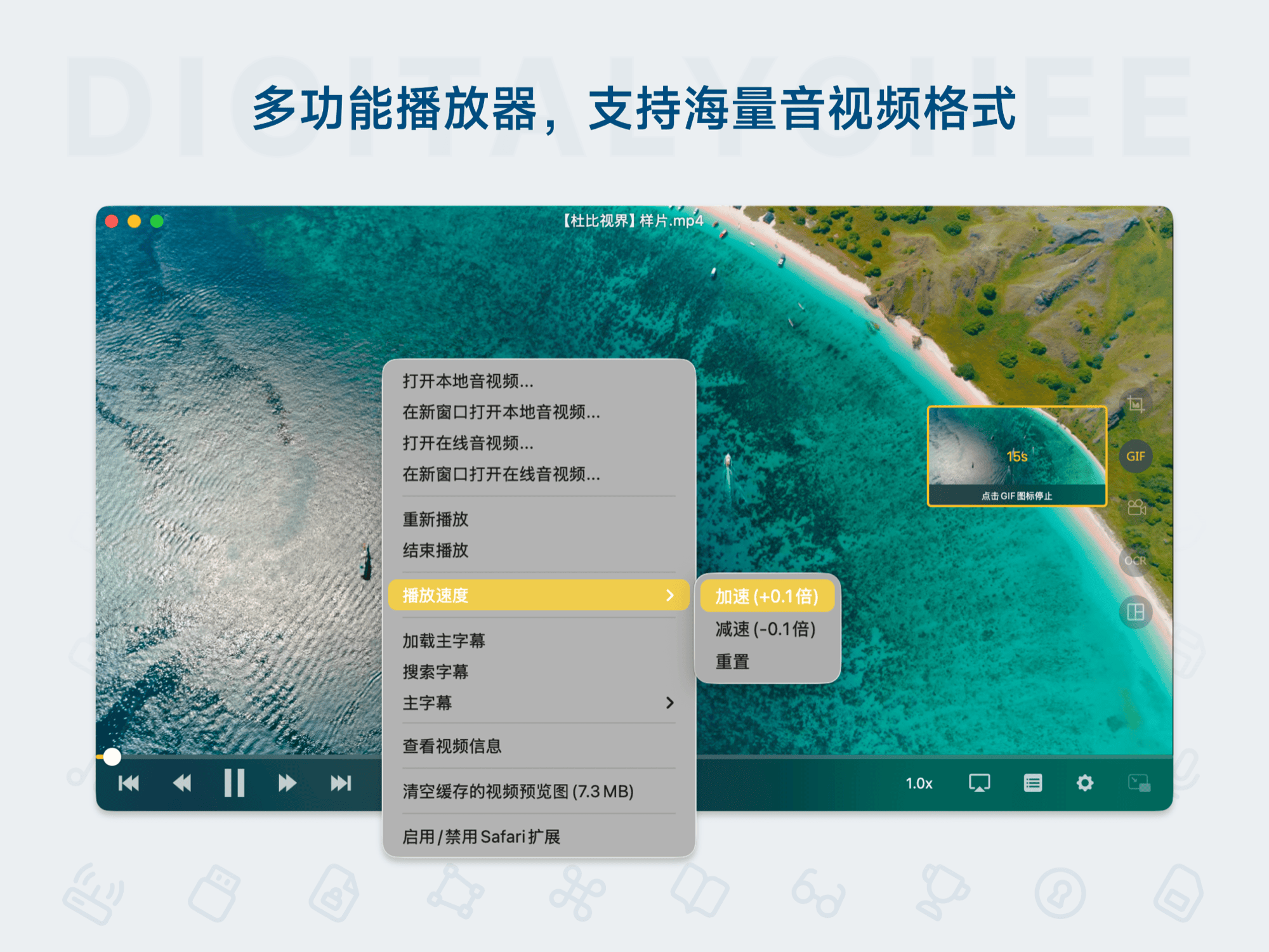
OmniPlayer is a versatile media player designed specifically for Mac users, integrating industry-leading media processing capabilities. It supports a vast array of audio and video formats including MP4, MKV, MOV, WMV, MP3, and FLAC, allowing direct playback without conversion, completely solving format compatibility issues. Its core innovation lies in the GIF capture function, enabling one-click capture of single frames or recording of up to 60-second animated GIFs for easy sharing of highlights. It features a built-in DLNA wireless casting protocol for seamless connection to smart TVs from brands like Xiaomi, Sony, and Samsung, enabling large-screen HD viewing. The intelligent subtitle system supports online search and matching or loading local files, with customizable size, color, and delay settings to ensure precise subtitle display.
Detailed Feature Introduction
- Multi-Format Playback & Streaming Support: Compatible with mainstream video and audio formats. Also supports stable playback of online streams via HTTP/HTTPS protocols, giving you control over quality and playback to avoid buffering interruptions.
- Advanced Playback Controls: Offers 0.5x to 2x playback speed, A-B loop repeat, progress memory, and frame preview. Users can drag the progress bar to view keyframes. Supports picture color balance adjustment and real-time audio effect optimization, such as equalizer and surround sound modes.
- Frame Capture & Subtitle Management: One-click capture of video frames, recording of animated GIFs, or export of thumbnails, suitable for content creation. The subtitle engine automatically searches and matches resources online, supports manual loading of SRT/ASS files, and allows adjustment of subtitle position, font, and delay for synchronization with the plot.
- Wireless Casting & VIP Features: Wirelessly cast videos to TVs via DLNA protocol, compatible with mainstream brands. The VIP version unlocks privileges like ad removal, progress bar thumbnail preview, custom playback speeds, etc., enhancing an interference-free experience. The free version covers basic playback and subtitle functions, suitable for light users.
- Efficient Workflow: Create searchable playlists to manage multiple files in order. Picture-in-Picture mode allows simultaneous viewing of video and notes, doubling learning efficiency. Supports permanent activation for 1 device with free updates to the latest version.
Use Cases
- Home Entertainment Sharing: Wirelessly cast local videos to a smart TV for the whole family to enjoy HD movies and immersive cinema-like experiences. Especially suitable for holiday gatherings or family movie nights, enabling large-screen playback without extra hardware.
- Video Learning Tool: Students and professionals can use A-B loop playback to repeatedly watch key content, combined with Picture-in-Picture mode to add notes over the video. Speed up tutorial learning with variable playback speeds to improve knowledge absorption efficiency, suitable for online courses or technical training.
- Subtitle Processing Expert: Missing subtitles for your favorite movies? OmniPlayer quickly searches and downloads subtitles online, avoiding the tedious manual search process. Customize subtitle styles for different scenarios, like high visibility in dark mode, meeting the needs of subtitle enthusiasts.
- GIF Creation Hub: Designed for social media creators, enabling one-click capture or recording of GIF animations and export of high-definition thumbnails for content sharing. Supports a 60-second duration limit, making it easy to create short video clips for creative content production on platforms like Weibo and TikTok.
Why Choose OmniPlayer?
Compared to traditional players, OmniPlayer integrates diverse functions into a unified interface, solving pain points like format incompatibility, missing subtitles, and screen sharing. The VIP version unlocks advanced features like wireless casting, while the free version provides a basic experience, catering to different user needs. It is suitable for home users, learners, and content creators, offering efficient solutions from daily viewing to professional editing. After downloading, simply activate via the menu "OmniPlayer > Activate VIP" to enjoy permanent, officially licensed service. Upgrade now to transform your Mac into the ultimate media hub and unlock a smarter audiovisual life!
Product information is for reference only. Please refer to the purchase page.