Picsee
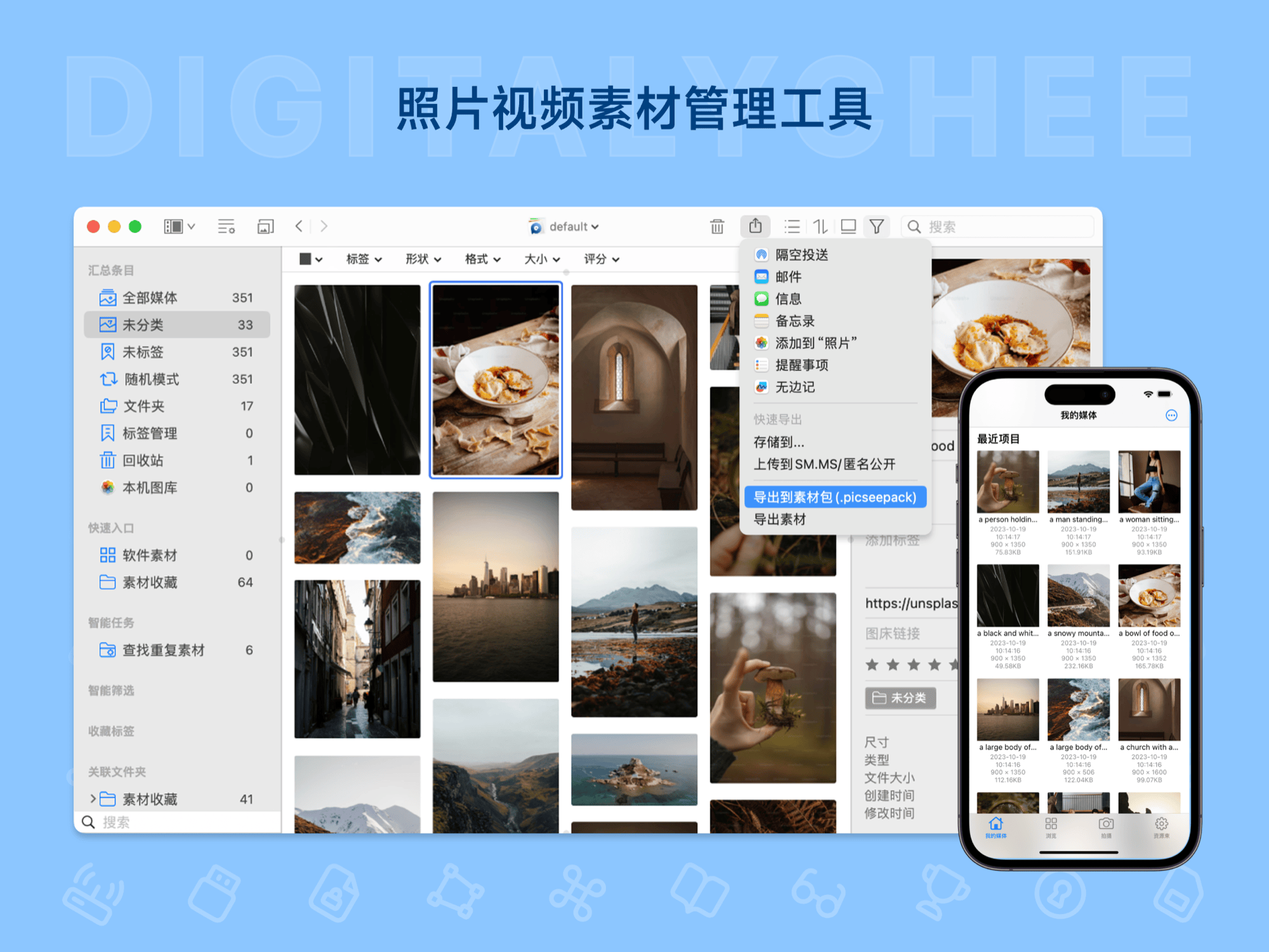
Picsee is an efficient image manager designed for macOS and iOS users. It offers features like web image collection, screenshot annotation, smart categorization, and quick search, supporting waterfall layouts and color analysis. Users can easily organize vast amounts of image materials and achieve cross-device collaboration through cloud sync. Suitable for self-media creation and design work, it enhances image management efficiency.
Prices and billing cycles may contain errors. Please refer to the seller page.
You will be redirected to a third-party platform for transaction.
Picsee - Professional Image Management Solution
Picsee is a powerful tool for collecting, browsing, and sharing images, designed specifically for macOS and iOS users. It integrates image collection, organization, search, and sharing, helping users efficiently manage massive amounts of media. It is suitable for self-media creators, designers, and anyone who needs to organize photos.
Core Highlights
- Web Image Collection & Screenshot Annotation: Built-in browser extension and screenshot tool support scrolling screenshots and annotations, making it easy to collect images from the web. Users can save images to the Picsee library with one click and add notes, improving material collection efficiency.
- Smart Organization & Tagging: Automatically categorizes images through tags, smart folders, and tasks. Supports filtering by EXIF and IPTC fields, managing materials based on date, device, or custom rules.
- Fast Filtering & Search: Instantly locate target images based on attributes like color, keywords, dimensions, and format. The color analysis feature allows filtering by dominant color, helping designers quickly find matching materials.
- Multi-Platform Collaboration: Supports iCloud and cloud drive synchronization, sharing tags, notes, and star ratings across devices. The Pro version offers cloud sync functionality to ensure data consistency.
Detailed Feature Introduction
Picsee offers waterfall and adaptive layouts, supporting browsing of formats like PNG, JPG, MP4, and MOV. Users can create multiple libraries, perform batch renaming, find similar images, and export/import material packages. The free version allows 6 screenshots per day and opening materials with Finder, while the Pro version has no limits. Additionally, it supports image hosting integration for easy sharing and collaboration. After purchase, the activation code is automatically delivered via email. The activation process is simple: run the software, click "Picsee > Activate or Purchase," and enter your email and activation code.
Application Scenarios
- Self-Media Creation: From collecting image materials to batch renaming and color filtering, efficiently handles creative workflows. Ideal for content creators to quickly organize materials and improve content production efficiency.
- Image Management: Handles batches of photos, with adjustable grid sizes for more convenient viewing. Smart categorization saves manual organization time, suitable for photographers and content managers.
- Team Collaboration: Cloud-synced data is suitable for teams working across multiple devices, enhancing collaboration efficiency and ensuring project material consistency.
- Personal Use: As a versatile image manager, it meets comprehensive needs like viewing, screenshotting, annotating, and pinning images, making daily photo management easier.
Product Advantages
Picsee offers a clean interface and Chinese language support, with an activation limit of 2 devices. The free version allows you to experience basic features, while the Pro version provides a permanent license and free updates. This store offers official authorization, ensuring a genuine experience. After activation, enjoy 1 year or permanent free updates. It efficiently solves image management pain points, making material organization simple and effective.
Product information is for reference only. Please refer to the purchase page.