PixPin
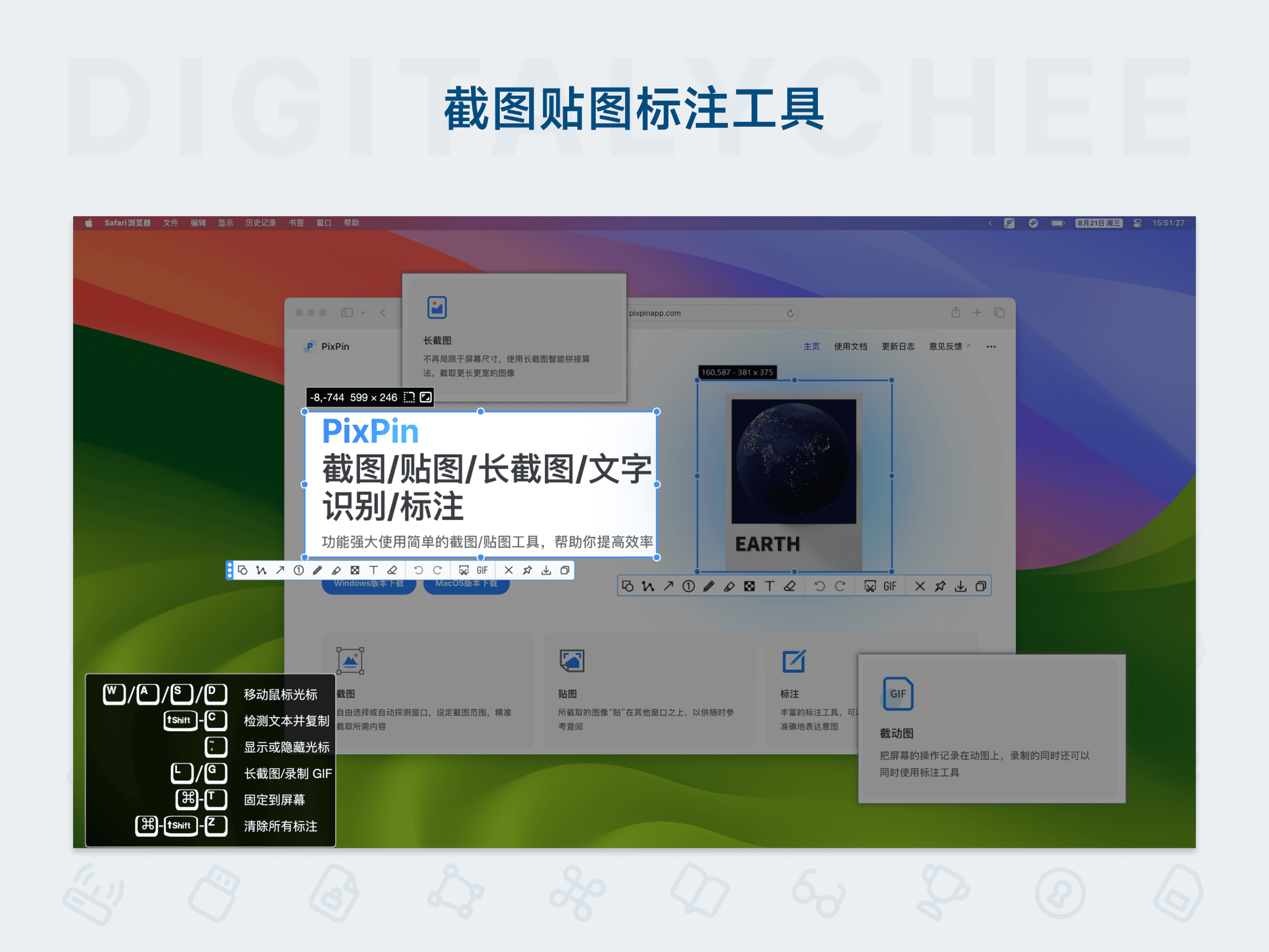
PixPin is an intelligent screenshot and annotation tool designed for macOS and Windows users. It offers features like smart long screenshots, GIF recording, text recognition and translation, and supports rich annotation options such as shapes, arrows, and text. With cloud sync for configuration, it enables seamless cross-device use. Whether for daily office work, content creation, or study and translation, PixPin enhances work efficiency with simple and effective operations, making it an ideal solution for screen capture and annotation.
Prices and billing cycles may contain errors. Please refer to the seller page.
You will be redirected to a third-party platform for transaction.
PixPin - Long Screenshot, Pin & Annotation Tool
PixPin is a powerful intelligent screenshot and pin annotation tool for macOS and Windows, designed to provide users with an efficient and convenient screen capture and editing experience. This tool integrates a variety of practical features, including intelligent long screenshots, GIF recording, text recognition and translation, making it particularly suitable for users who frequently handle screen content.
Core Highlights
The core highlight of PixPin is its intelligent long screenshot function, which can automatically stitch vertically or horizontally scrolling pages with one click, requiring no manual adjustment. Furthermore, it supports setting screenshots to stay on top, allowing users to annotate and operate over other windows. Through cloud-synced configurations, users can easily switch between different devices, maintaining workflow consistency and avoiding repetitive setup.
Feature Overview
- Intelligent Screenshot Experience: Supports custom area screenshots, window screenshots, and intelligently stitches long pages for efficient capture without extra steps.
- Convenient Pin Operation: Screenshots can be set to stay on top immediately after capture, supporting rotation, scaling, OCR text recognition, and more, with intuitive and flexible operation.
- Rich Annotation Tools: Provides various annotation tools, including shapes, arrows, text, mosaic blur, and pixel color picker, meeting annotation needs for different scenarios.
- High-Quality GIF Recording: Customizable recording countdown and frame rate, supports GIF, WebP, APNG formats, ideal for content creation and dynamic presentations.
- Text Translation: Quickly translate recognized text within pinned images via right-click menu or hotkeys, aiding language learning and cross-language work communication.
- Global Mouse Operations: On Windows systems, perform common operations quickly using modifier keys and mouse drag, enhancing efficiency and convenience.
- Cloud Configuration Sync: The premium version supports syncing annotation configurations across devices, ensuring a seamless experience with secure and reliable data.
Use Cases
- Daily Office Work: Quickly capture work information, annotate client requirements, and improve communication efficiency, suitable for meeting minutes and document collaboration.
- Content Creation: Easily record screen GIFs to generate vivid graphic materials, perfect for tutorial creation, social media sharing, and presentations.
- Learning & Translation: Recognize text in images and translate it, helping students and language learners acquire knowledge efficiently, especially when reading foreign language materials.
Why Choose PixPin?
PixPin is renowned for its clean interface and powerful features, suitable for all types of users. It offers a free version and a premium version, with the latter providing more advanced features and persistent usage rights. Combined with cloud sync, you can continue your work on any device without worrying about data loss. Whether for personal use or team collaboration, PixPin is the ideal screenshot and annotation solution.
Download and experience PixPin now to make your screen capture and annotation work more efficient and intelligent!
Product information is for reference only. Please refer to the purchase page.