RayLink
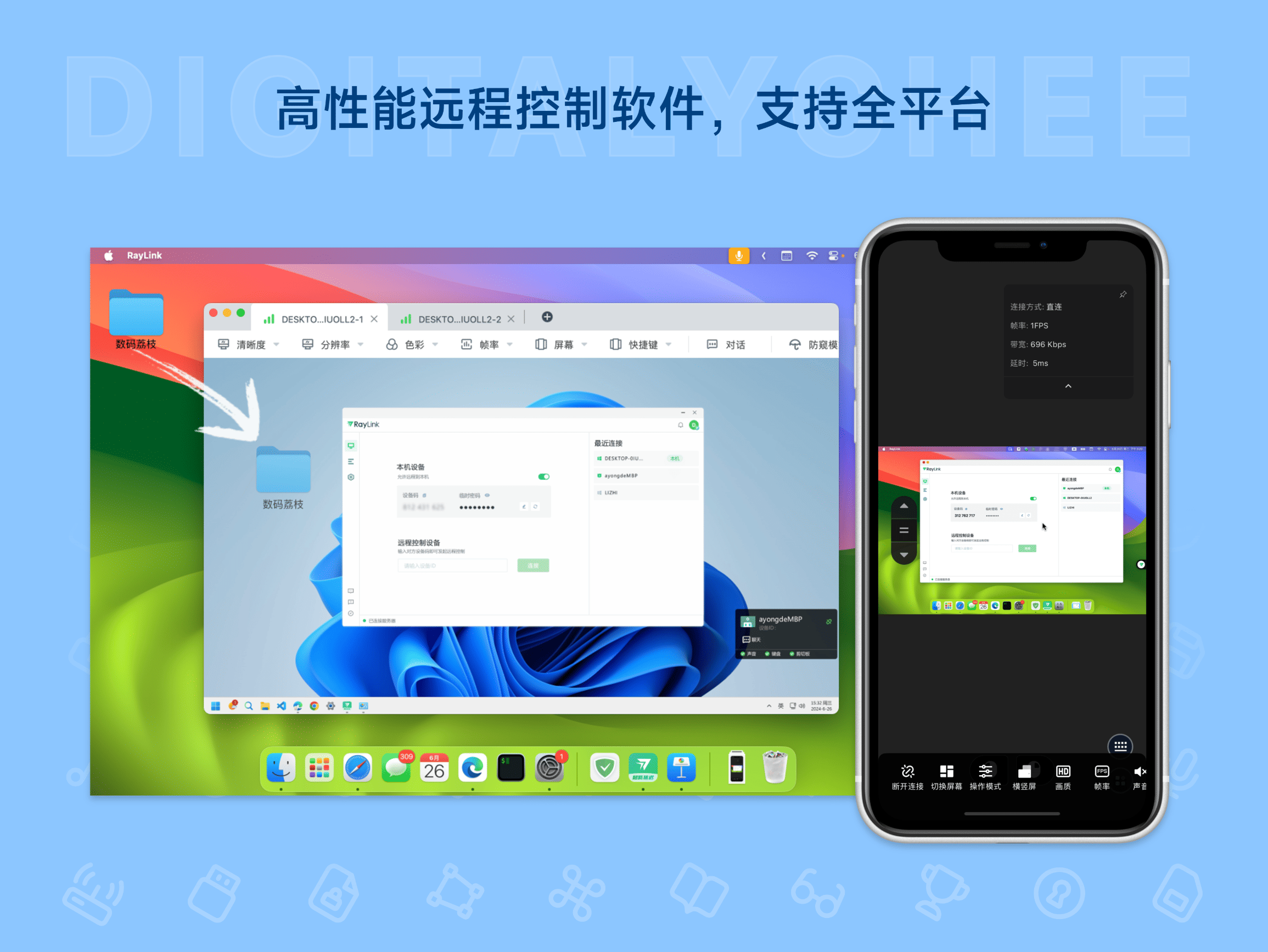
RayLink is a cross-platform, high-performance remote control software that supports seamless connection across Windows, macOS, iOS, Android, and Web devices. It delivers high-definition, lossless image quality with 4:4:4 color mode and extremely low operational latency, comparable to a local environment. It enables batch file transfer, automatic clipboard synchronization, graphics tablet pressure sensitivity mapping, and multi-screen virtual display, suitable for remote work, game collaboration, and creative design. It uses AES-256 end-to-end encryption for security, features automatic delivery, a 1-year usage period, and simple, convenient activation.
Prices and billing cycles may contain errors. Please refer to the seller page.
You will be redirected to a third-party platform for transaction.
RayLink - Cross-Platform High-Performance Remote Control Software
RayLink is a high-performance remote control solution specifically designed for modern remote collaboration, seamlessly supporting Windows, macOS, iOS, Android, and Web platforms. Its core advantage lies in providing high-definition lossless image quality with 4:4:4 color mode and millisecond-level operation latency, making the remote experience close to local operation, suitable for professional-grade scenarios.
Core Highlights
- HD & Smooth Experience: 4:4:4 color mode ensures lossless image detail, with operation latency as low as 20ms, enabling smooth remote interaction, especially suitable for high-resolution screen work.
- Efficient Resource Collaboration: Supports batch file transfer and automatic clipboard content synchronization, significantly improving cross-device work efficiency and avoiding the hassle of manual copy-paste.
- Deep Professional Peripheral Compatibility: Accurately maps graphics tablet pressure sensitivity and multi-controller operations, meeting designers' remote drawing needs; gamers can enjoy responsive controls for online play.
- Multi-Screen Intelligent Management: The controlled end automatically creates virtual screens, allowing the controlling end to view multiple display contents simultaneously, optimizing complex scenarios like education & training and multi-tasking.
- Top-Tier Security Protection: End-to-end AES-256 encrypted transmission, combined with anti-spy mode, effectively prevents data leaks and protects sensitive information and privacy.
Feature Details
RayLink offers a rich combination of features to meet diverse needs:
- Basic Control: Remote mouse and keyboard operation, screen mirroring, supports audio synchronization and screen recording.
- Advanced Collaboration: Unattended mode automatically activates sessions; real-time annotation during remote meetings enhances team communication efficiency.
- Exclusive Advantages: 4:4:4 color mode ensures color accuracy; virtual screen extension expands workspace; initiating control from mobile breaks device limitations.
- Intelligent Optimization: LAN direct connection mode accelerates transmission; intelligent bandwidth management balances image quality and smoothness.
Use Cases
- Remote Office Collaboration: Cross-platform screen and file sharing, real-time document editing by team members, improving project advancement efficiency.
- Gaming & Entertainment Experience: Supports controller operation for remote participation in multiplayer online games, enjoying low-latency, smooth operation.
- Creative Design Work: Designers can draw remotely via graphics tablets with precise pressure sensitivity control, ensuring creative quality is unaffected by distance.
- Education & Corporate Training: Simultaneous display of data on multiple screens, instructors can demonstrate operational processes, suitable for classroom teaching and corporate presentations.
Version Comparison
RayLink offers a Free version and a Super Performance Premium version:
- Free Version: Supports 1 channel, 1 connection session, limited file transfer speed, and is only available for use within Mainland China.
- Premium Version: 5 connection sessions, unlimited file transfer speed, exclusive features like 4:4:4 color mode, virtual screen extension, graphics tablet mapping, etc., enhancing productivity.
Activation & Usage
After purchase, register and log in via the official website, go to "My Redemption" and enter the redemption code to activate. Automatic delivery channels include web page, SMS, or email. The 1-year usage period includes free updates; subscription-based, no device transfer required.
Why Choose RayLink?
Compared to similar software, RayLink excels in multi-platform compatibility, depth of professional features, and latency control. The free trial allows users to experience core features, while the premium version unlocks high-performance mode, making it an ideal choice for remote work, gaming entertainment, and creative design. Its end-to-end encryption and ease of use provide a secure and reliable remote control solution for both enterprises and individuals.
Product information is for reference only. Please refer to the purchase page.