Sticker Pro
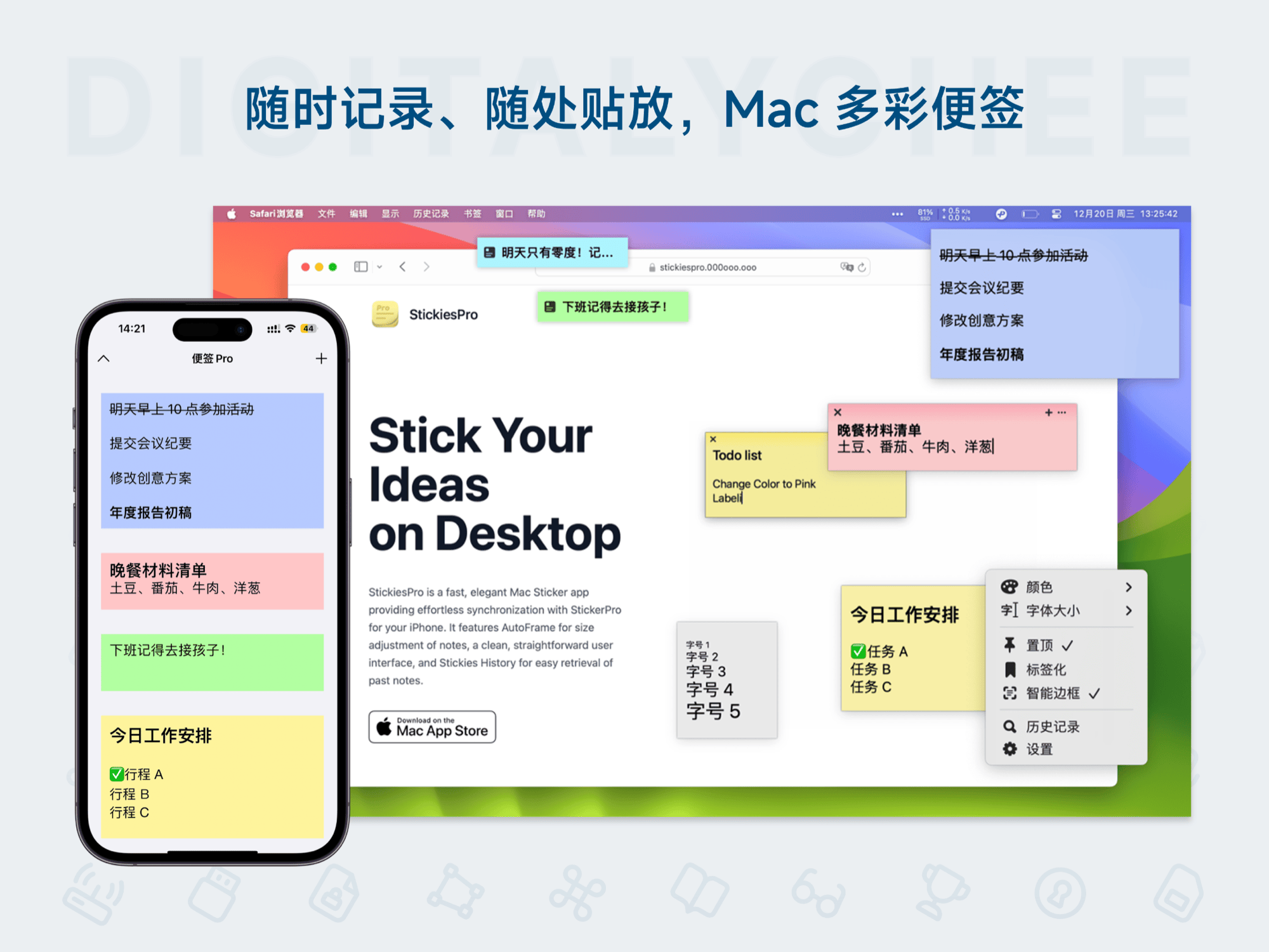
Sticker Pro is an intelligent sticker tool designed for Mac users, featuring seamless iCloud synchronization for real-time updates across devices. Its minimalist and lightweight interface combines rich text editing, image insertion, to-do marking, and supports quick search and tag categorization. Whether for work memos, creative notes, or meeting minutes, it helps organize efficiently and enables cross-platform information sync management, boosting office productivity and life convenience.
Prices and billing cycles may contain errors. Please refer to the seller page.
You will be redirected to a third-party platform for transaction.
Core Highlights:
- Seamless iCloud Sync: All notes are automatically encrypted and synced to iPhone/iPad/Mac. Automatic retry after network disconnection ensures data is never lost.
- Ultra-Lightweight Design: Occupies only 12MB of system resources, launches in 0.3 seconds, and does not affect Mac performance.
- Smart Categorization Management: Supports a 5-level tag system + custom color markers, locating important information in 1 second.
- Cross-Platform Collaboration: Deep integration with tools like Outlook/Notion, one-click export to Markdown/HTML formats.
Detailed Features:
- Rich Content Editing: Supports text bold/italic/underline, insertion of multiple images, QR codes, tables, and even embedded web links.
- Smart Reminder System: Set time-based reminders for to-do items, supporting recurring reminders and deadline marking.
- Efficient Search Capability: Quick location via triple filtering by keyword, tag, and creation time, supports fuzzy matching.
- Team Collaboration Mode: Create shared notebooks for real-time multi-user editing, with automatic marking of revision history.
Use Cases:
- Office Scenarios: Quickly convert meeting notes into to-do items, mark priorities, and sync with team members.
- Creative Work: Centralize idea fragments, quickly associate related ideas through tags.
- Study Scenarios: Categorize and manage study notes for exams, supports adding course names and chapter tags for easy review.
- Life Management: Shopping lists automatically sync to your phone for viewing and adding items anytime.
Technical Advantages: • Apple Core Data Storage: Uses Apple's proprietary Core Data technology for storage, local caching ensures usability offline. • macOS Integration: Supports Mission Control window management, one-click settings in System Preferences. • Security Encryption: Encrypts note content using AES-256 algorithm, TLS protection for the entire iCloud transmission process. • Continuous Updates: Bi-monthly feature iterations, recently added PDF export and speech-to-text functionality.
User Feedback: "As a design team lead, we replaced 3 tools with this. The shared notes feature increased cross-department collaboration efficiency by 40%." – Enterprise User "Automatic note sync while traveling is incredibly useful, no more worries about forgetting tasks." – Freelancer "Now I can capture inspiration anytime, never worrying about losing creative ideas." – Content Creator
Get Started Now: After clicking download, the first screen guides you to create a personal sync account. A 30-day free trial includes all features, after which a subscription costs only 19.99美元/year. All historical notes are permanently retained, supporting one-click export for data backup.
Product information is for reference only. Please refer to the purchase page.