TextSeek
TextSeek is a desktop search software designed for macOS and Windows users, offering powerful full-text search capabilities. It quickly searches both file content and names, supporting various document formats like PDF, Word, and Excel. Through intelligent filtering and sorting, it helps users efficiently locate files and boost productivity. A 30-day trial ensures it meets your needs before purchase.
Prices and billing cycles may contain errors. Please refer to the seller page.
You will be redirected to a third-party platform for transaction.
Product Overview
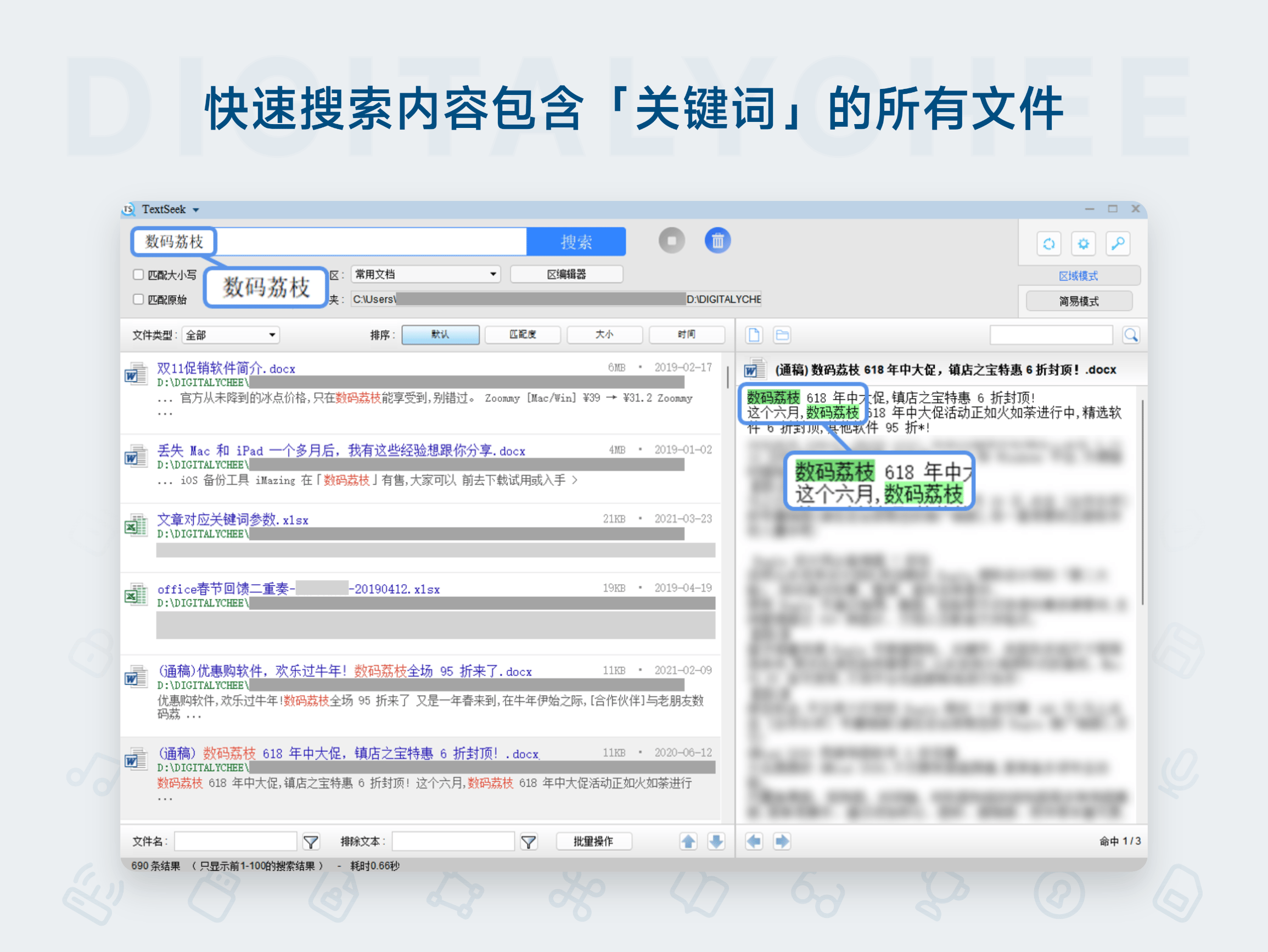
TextSeek is a high-efficiency desktop search tool designed for macOS and Windows users, offering comprehensive full-text search capabilities to overcome the limitations of traditional file search tools that only search filenames. It operates like a web search engine, helping users quickly locate content within local files, supports multiple common document formats, and significantly boosts work efficiency. A 30-day trial ensures users can fully experience the features before purchase.
Core Highlights
- Intelligent Local File Search: Enter keywords to retrieve all documents containing them, supports quick file preview, eliminating manual browsing for efficient content discovery.
- Comprehensive Full-Text Search: Optimized underlying code ensures accurate handling of Chinese content, avoiding retrieval gaps common in similar foreign software for complete and accurate results.
- Precise Result Filtering: Filter results by file type (e.g., PDF, Word, Excel) and sort by relevance, modification date, etc., to improve accuracy.
- Support for Multiple Document Formats: Supports common formats like PDF, Word, Excel, Txt out-of-the-box, no extra configuration needed for daily office tasks.
- Designated Directory Search Modes: Offers Simple Mode (no indexing, instant search) and Zone Mode (builds index in specified directories for faster retrieval), flexibly adapting to different scenarios.
- Batch Processing of Results: Perform batch operations like copy, cut, delete on result files, or export to CSV, simplifying management workflows.
Detailed Feature Introduction
TextSeek's core functionality revolves around efficient file retrieval. After users input keywords, the software scans the content of all local files and displays matching results in real-time. Its intelligent filtering system allows users to filter by file type, such as showing only PDF documents, to avoid irrelevant results. Sorting functions support ordering by relevance (keyword frequency), modification date, or filename, helping users quickly focus on key files. For large projects, Zone Mode allows building an index in specific folders (e.g., work directories), significantly speeding up subsequent searches, ideal for handling massive amounts of data. The batch processing feature is powerful and practical, enabling users to move multiple search results to a specified location with one click or export them to CSV for analysis. Additionally, the interface is clean and intuitive, with all operations performed through the main window, requiring no steep learning curve.
Use Cases
- Office Scenarios: Directly search document content to quickly locate contracts, reports, etc., solving the pain point of traditional tools limited to filenames, saving time.
- File Management: Customize search directories to quickly locate specific documents in deep folder structures (e.g., project materials), simplifying management of complex file systems.
- Data Organization: Supports multi-format file retrieval, helping professionals efficiently organize vast amounts of materials like meeting minutes and training documents, improving document management efficiency.
- Academic Research: Full-text search in PDFs facilitates researchers in extracting key paragraphs from numerous local papers, accelerating literature analysis and writing.
Purchase & Usage Guide
TextSeek offers Personal and Commercial editions: the Personal edition supports 2 devices, the Commercial edition supports 1 device (for use in commercial environments). All editions offer 1-year/3-year/perpetual licenses and include free minor version updates. After purchase, the activation code is automatically delivered via webpage, SMS, or email. The activation process is simple: run TextSeek, click the key button in the top right corner, and enter the license name, email, and activation code. The software supports a Chinese interface, and the 30-day trial allows for worry-free evaluation. Note: As a virtual product, refunds are not available after delivery; it is recommended to fully test the software before purchasing.
Product information is for reference only. Please refer to the purchase page.