TTime
TTime is a cross-platform screenshot and text selection translation tool designed for Windows and macOS users. It supports instant translation of on-screen text via quick capture, integrates multiple translation sources like Bing and DeepL, and allows flexible connection to third-party services such as Baidu and Youdao. Featuring OCR recognition for mixed Chinese-English, French, German, Japanese, and other languages, it enables cloud sync for configurations and translation history. Custom AI tasks efficiently handle code explanation and text polishing, making it ideal for workplace, academic, and content creation scenarios to significantly enhance multilingual processing efficiency.
Prices and billing cycles may contain errors. Please refer to the seller page.
You will be redirected to a third-party platform for transaction.
TTime - Cross-Platform Screenshot & Text Selection Translation Tool
TTime is an AI-powered translation tool designed for Windows and macOS users, dedicated to providing a seamless multilingual processing experience.
Core Highlights
Multiple Translation Modes
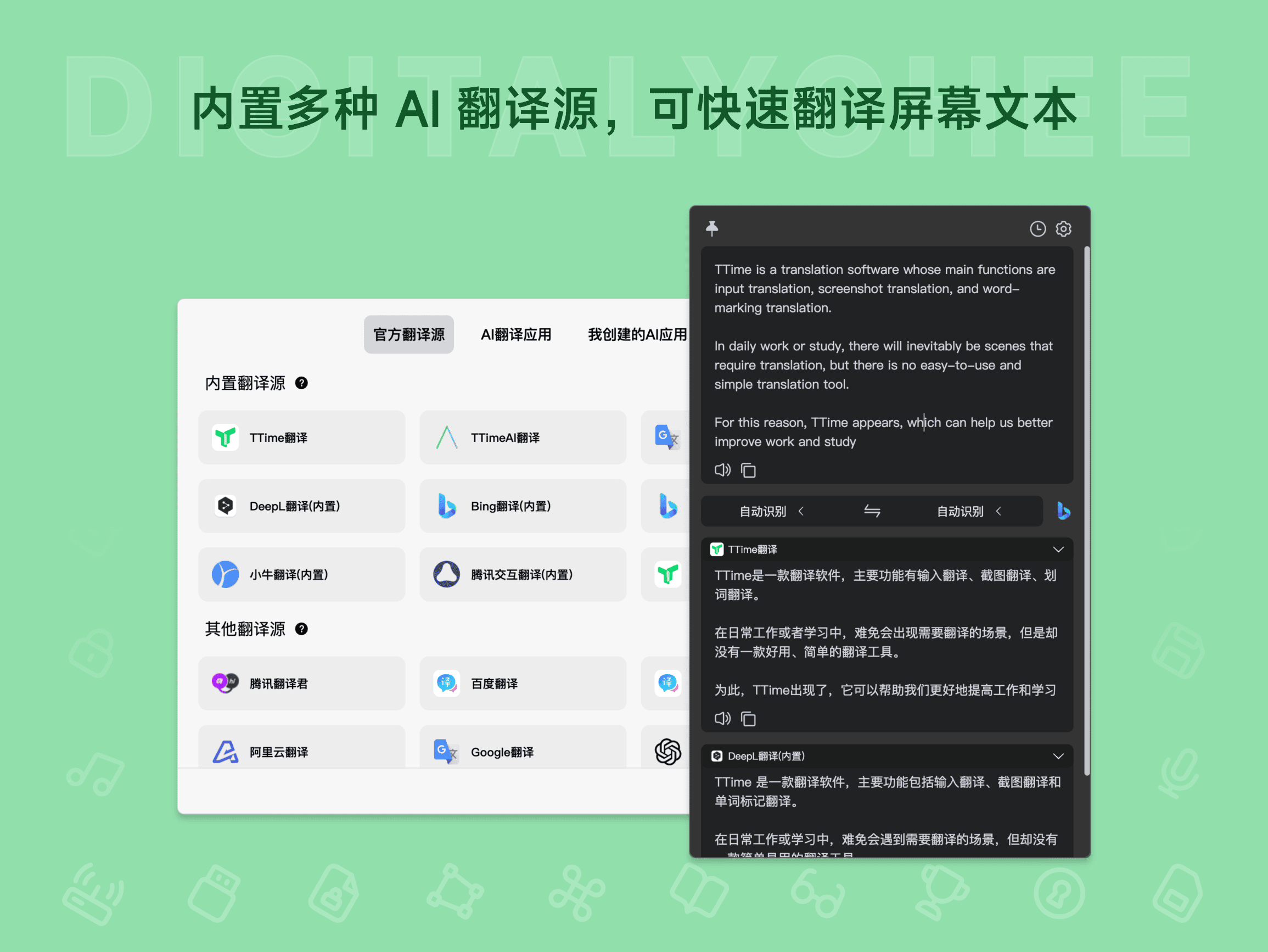
TTime supports three core translation methods: Text Selection, Screenshot, and Input. Text Selection translation allows for instant translation of any on-screen text. Screenshot translation captures text within images and automatically recognizes and translates it. Input translation is suitable for manually entering text. Additionally, it offers various usage modes like Replace, Collapse, and Floating Ball to accommodate different user habits.
Vast Translation Sources
Built-in high-quality translation services like Bing and DeepL, with easy integration of third-party services such as Baidu, Youdao, and Zhipu. Users can freely switch between translation sources based on needs, ensuring translation quality and accuracy. TTime employs AI optimization technology to enhance translation context coherence and avoid awkward phrasing.
OCR Text Recognition
TTime integrates advanced OCR recognition, supporting mixed Chinese-English, French, German, Japanese, and other multilingual text recognition. Users can connect to professional OCR services like iFlytek and Volcano for efficient and accurate text extraction. Supports intelligent OCR paragraph segmentation and merging, especially suitable for complex documents like tables and PDFs with mixed text and images.
Multi-Device Sync
Through encrypted cloud storage, TTime allows synchronization of translation sources, software configurations, and translation history across multiple devices. Whether using Windows or macOS, data remains consistent, eliminating barriers when switching devices. Members enjoy unlimited sync, ensuring work continuity.
Custom AI Presets
TTime provides AI preset functionality, allowing users to set descriptions and instructions for the AI to efficiently complete tasks like code explanation, text polishing, and translation improvement. Supports custom prompts for third-party AI, maximizing AI potential, suitable for professional scenarios like developers and writers.
Practical Additional Features
Includes features like continuous translation, text-to-speech, copying in camelCase/snake_case formats, etc. Ample AI quota (members support 500K/month) enhances translation efficiency and user experience. All features are based on a lightweight design, with fast startup and low system resource usage.
Use Cases
Cross-Border Workplace Communication
When handling foreign language emails and documents, TTime provides instant translation of key content, aiding efficient communication. Suitable for international business teams, foreign trade personnel, etc., ensuring accurate transmission of important information and reducing communication costs.
Academic Research Assistance
Quickly understand foreign language literature and optimize paper writing workflows. The OCR feature is particularly useful for processing academic papers and reports, automatically extracting key terms, significantly shortening research time, and improving academic output efficiency.
Essential for Content Creators
Utilize AI translation and text polishing features to quickly generate multilingual versions of content, supporting global outreach. Suitable for scenarios like self-media and cross-border e-commerce, enabling content localization and expanding audience reach.
Great Helper for Language Learning
Supports various translation modes and text-to-speech, helping users improve listening, reading, and writing skills. Through high-frequency word analysis and contextual understanding, it reinforces language learning effectiveness, serving as a practical tool for language learners.
Activation & Support
After purchase, activate via CDK redemption: Run TTime, click "TTime > Settings" to register/login; then click "About > CDK Redemption," paste the activation code to complete activation. Automatic delivery service (webpage/SMS/email) is provided, along with member-exclusive offers. The free version supports basic features, while membership unlocks unlimited usage and cloud sync. TTime is a virtual product; no refunds are available after delivery. Please refer to the purchase notes for details.
Product information is for reference only. Please refer to the purchase page.