Typora
Typora is a cross-platform Markdown editor offering a real-time WYSIWYG preview experience, supporting LaTeX formulas, code highlighting, and various extended syntax. With a clean, distraction-free interface, built-in outline/toc view, and customizable themes, it's perfect for writing, technical documentation, and note-taking. Compatible with macOS and Windows, it offers a 15-day trial before purchase, permanent activation, and boosts creative efficiency and document quality.
Prices and billing cycles may contain errors. Please refer to the seller page.
You will be redirected to a third-party platform for transaction.
Typora - Professional Cross-Platform Markdown Editor
Typora is a cross-platform Markdown editor designed to enhance writing efficiency, offering a true WYSIWYG (What You See Is What You Get) editing experience. It allows you to preview formatting effects in real-time as you type, eliminating the need to switch to a source code mode. The software natively supports macOS and Windows systems, providing a clean, distraction-free interface that removes the complexity of traditional editors, making it particularly suitable for users who prioritize efficient writing.
Core Highlights
- Real-Time Preview: Instantly reflects formatting when entering Markdown syntax (such as headings, lists, tables), supports switching between source code and preview modes to ensure accurate content presentation.
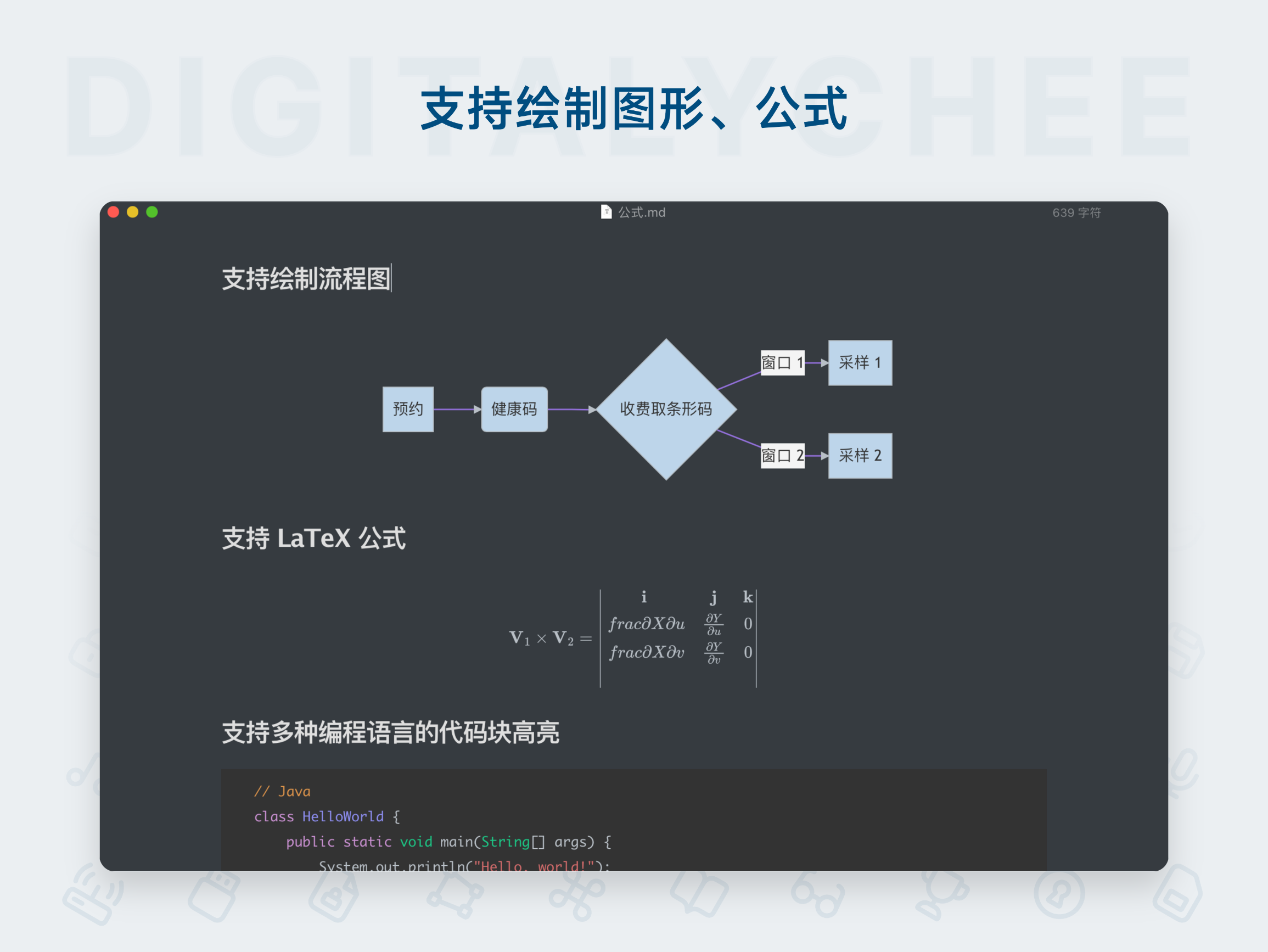
- LaTeX Formula Support: Seamlessly insert and render mathematical formulas, ideal for academic papers, technical reports, and other scenarios, enhancing the quality of professional documents.
- Outline & Table of Contents View: Built-in collapsible sidebar allows for quick navigation through file trees and outlines, making paragraph modifications more efficient and managing multi-file documents effortless.
- Multiple Image Hosting Integrations: Integrates with tools like iPic and PicGo, enabling custom commands for diverse image uploads and simplifying material handling workflows.
- Custom Themes & Optimizations: Offers various built-in theme styles, supports CSS file customization, and includes writing aids like Focus/Typewriter Mode, word count, and symbol auto-completion.
Detailed Feature Introduction
Typora is centered around minimalist design and comprehensively covers the Markdown ecosystem. It not only supports basic syntax but also extends to advanced features like superscript/subscript, flowcharts, and sequence diagrams. Code blocks support multi-language highlighting (e.g., Python, JavaScript), enhancing the readability of technical documents. Multi-format export functionality allows content to be converted to HTML, PDF, Word, etc., facilitating sharing to blogs or printing. Additionally, the software provides the Mermaid tool for drawing flowcharts and sequence diagrams, improving document visualization. A 15-day free trial ensures users can fully experience the software before purchase. After activation, it offers permanent use, supports 3 devices, and includes free minor version updates.
Use Cases
- Minimalist Writing Experience: Pure interface with no unnecessary buttons, suitable for writers and content creators focusing on pure text creation and content output.
- Technical Documentation Writing: Programmers can efficiently organize code, LaTeX formulas, and flowcharts to create structured development documents, improving team collaboration efficiency.
- Quick Note-Taking Assistant: Students and professionals can quickly record meeting minutes, ideas, or class notes, with support for one-click export to common formats for easy subsequent organization.
- Blog Post Formatting: Local editing with instant preview, combined with multi-format export, allows bloggers to easily create beautifully formatted content for publishing on platforms like WordPress.
Why Choose Typora?
Typora significantly lowers the learning curve for Markdown with its WYSIWYG design, avoiding the hassle of format switching. It integrates document management, Typewriter Mode, and custom themes to create a comfortable writing environment. The 15-day trial period allows you to assess suitability risk-free. The one-click activation process is simple, with automatic delivery via web/SMS/email. As genuine software, it offers special purchase benefits in China and membership points, with a permanent use guarantee, making it an essential tool for boosting productivity.
Product information is for reference only. Please refer to the purchase page.