Vivid - Mac Display Brightness Regulator
Vivid is a brightness adjustment tool optimized for Mac XDR displays, addressing issues like poor visibility outdoors and eye strain at night. It unlocks the full brightness range of the screen, providing a high-brightness mode for clear reading in strong light and an ultra-dark mode for dimmer display to protect eyes. Supports split-screen comparison, quick launch, and auto-off features, suitable for mobile work, nighttime tasks, and professional photo editing, significantly improving screen comfort and efficiency.
Prices and billing cycles may contain errors. Please refer to the seller page.
You will be redirected to a third-party platform for transaction.
Vivid is a screen brightness enhancement tool designed specifically for Mac users, with deep optimization for devices equipped with XDR displays (such as MacBook Pro 14/16 and Pro Display XDR). It effectively addresses common pain points like unreadable content on XDR screens in bright outdoor environments and eye strain even at the system's minimum brightness at night. Through innovative brightness adjustment technology, it provides users with a more flexible and precise display control experience.
Core Highlights & Innovative Features
- Outdoor High-Brightness Mode: Unlocks the full brightness potential of XDR screens, ensuring stable peak brightness output. This allows users to clearly read documents, spreadsheets, or process data even in strong sunlight outdoors, significantly enhancing the reliability of mobile work.
- Night Ultra-Dim Mode: Breaks through the native brightness limit to achieve a display effect darker than the system's minimum brightness. It greatly reduces light stimulation at night, effectively protecting eyesight and avoiding disturbing others' sleep. It's particularly suitable for late-night writing, watching shows, or handling sensitive information.
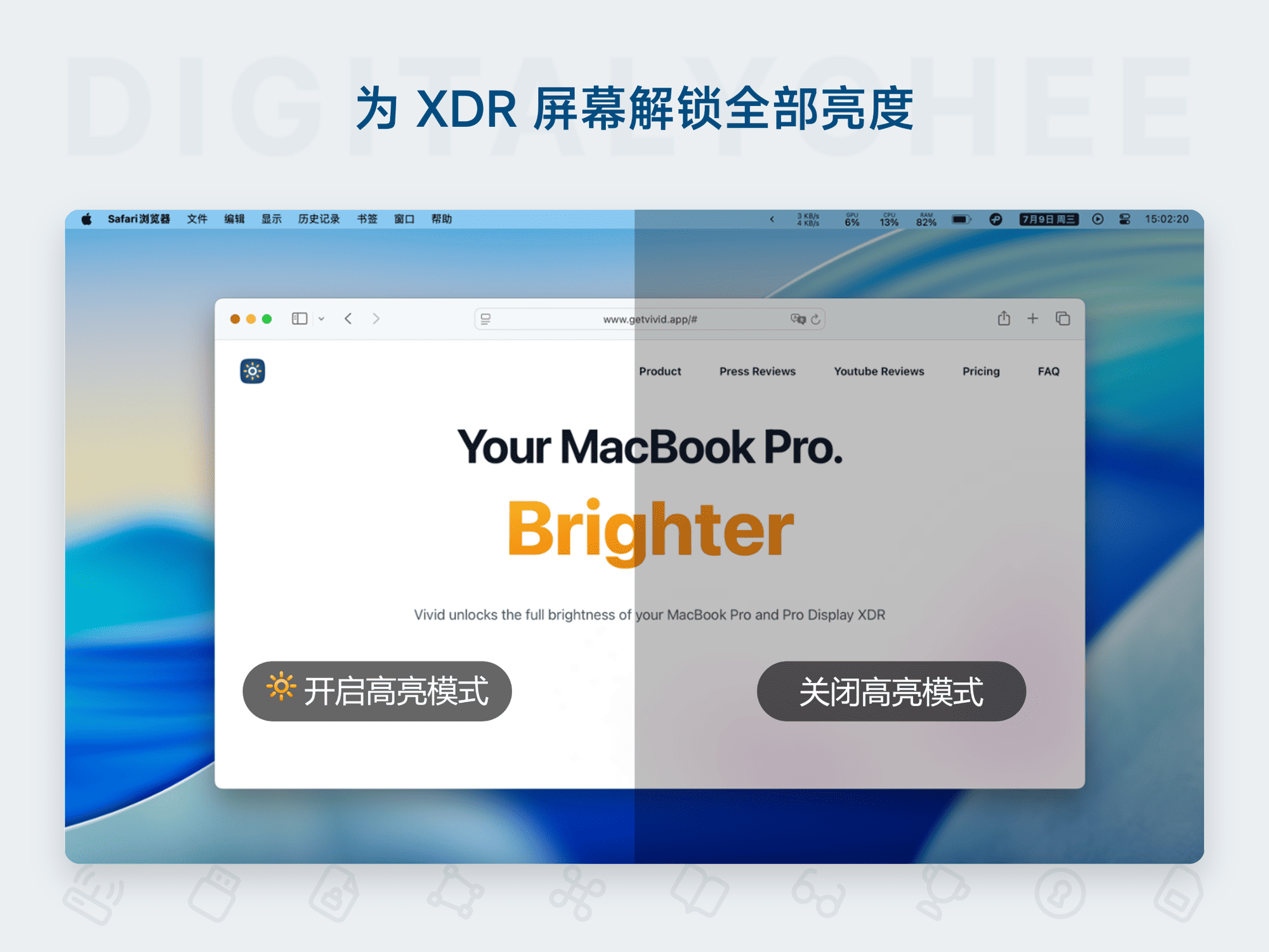
- Split-Screen Test Mode: Visually compare the display effects before and after enabling high brightness side-by-side on the same screen. This helps users quickly verify the optimal settings and confirm if they meet current work needs without repeatedly switching, improving decision-making efficiency.
- Smart Quick Actions: Supports right-clicking the menu bar icon for quick function switching, or customizing keyboard shortcuts to start/stop with one key. The operation is smooth and convenient, reducing the learning curve and adapting to efficient work rhythms.
- Battery Protection Mechanism: Can be set to automatically turn off the high-brightness function when battery is low (e.g., below 30%), during prolonged high-brightness use, or in low power mode. This avoids excessive power consumption, extends device battery life, and balances performance with energy saving.
Comprehensive Feature Details Vivid also offers several practical auxiliary functions: hiding the Dock icon and brightness adjustment icon to keep the desktop clean; supporting multi-screen brightness synchronization to ensure external displays match the main screen; and flexible activation device management (free version supports 1 device, paid version can be extended to 5). All features are integrated through a clean menu bar interface, enabling deep control without complex setup. Its core advantage lies in the precise adaptation to XDR technology—leveraging the computing power of Apple M chips to optimize brightness algorithms, eliminating the native system's brightness step limitations, achieving smooth brightness transitions, and avoiding screen flickering or color distortion caused by traditional adjustments.
In-Depth Use Case Analysis
- Essential for Mobile Work: When business professionals work in places with complex lighting like outdoor cafes or meeting rooms, activating high-brightness mode with one click keeps document and spreadsheet content clearly visible, enhancing efficiency and professional image.
- Eye Protection for Night Work: When designers, programmers, or students work late at night, enabling the ultra-dim mode reduces screen brightness, minimizes retinal fatigue, and extends focus time without affecting sleep quality.
- Professional Content Creation: When photographers or video editors retouch photos or edit videos on-site outdoors, the high-brightness mode ensures accurate preview of color details and shadow gradations under strong light, preventing color grading errors due to insufficient brightness and safeguarding work quality.
- Daily Use Optimization: For daily web browsing, watching movies/shows, or studying, specific modes automatically adapt to different scenarios, eliminating the need for frequent manual adjustments and creating a personalized visual environment.
Vivid is customized for Chinese Mac users and only supports activation via the Chinese version. Once activated, it can be used permanently with free updates. Its design balances practicality and professionalism, making it especially suitable for creative professionals, businesspeople, and mobile workers with high demands for screen display. Through scientific brightness adjustment, Vivid not only improves comfort but also unlocks device potential in special environments like outdoors or at night, becoming an indispensable efficiency tool for Mac XDR users.
Product information is for reference only. Please refer to the purchase page.