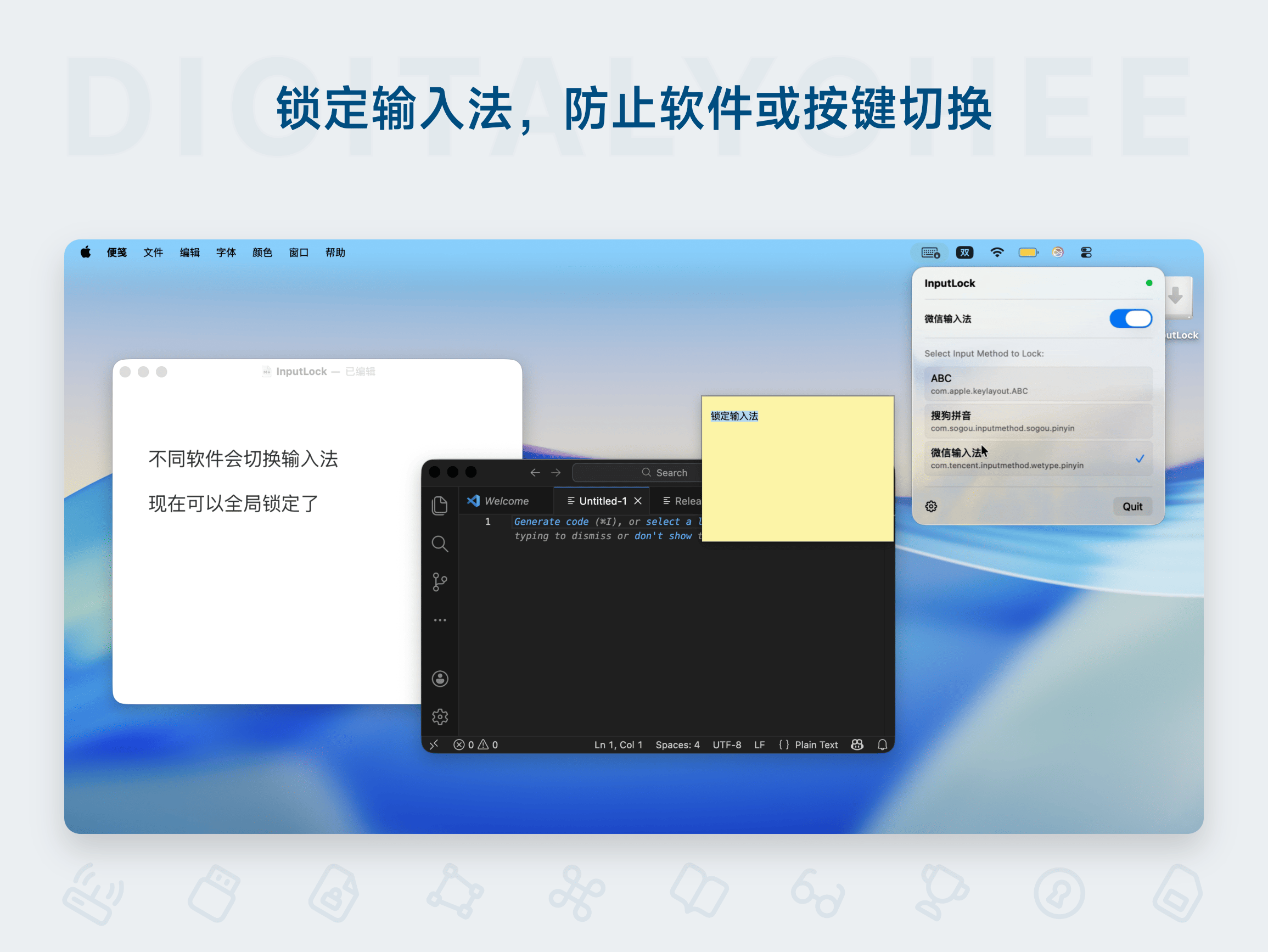
InputLock
InputLock is an input method locking tool designed specifically for Mac users, effectively solving the annoyance of automatic input method changes when switching between applications. By locking the set input method, it eliminates the need for frequent switching, enhancing typing efficiency and work focus. It supports one-click operation from the menu bar, runs silently in the background with low resource consumption. Suitable for various scenarios like programming and writing, it ensures input continuity, offers a 24-hour trial, and permanent activation.
Prices and billing cycles may contain errors. Please refer to the seller page.
You will be redirected to a third-party platform for transaction.
InputLock - Mac Input Method Lock Tool
InputLock is a highly efficient input method management tool designed specifically for Mac users, aimed at solving the common problem of the input method automatically changing when switching between applications. Through an intelligent locking mechanism, it ensures your input method always remains in the set state, thereby significantly improving typing efficiency and work focus, making your Mac experience smoother.
Core Highlights
- Permanently Lock Input Method: Once locked, no matter which application you switch to (e.g., from a word processor to a browser), the input method will not change automatically, completely avoiding the hassle of frequent switching.
- Menu Bar Quick Actions: Provides an intuitive switching interface in the menu bar; click the icon to switch between locked input methods with one click, making operations simple and time-saving.
- Lightweight and Efficient Operation: Runs silently in the background, consuming minimal system resources (CPU and memory usage below 1%), does not slow down overall Mac performance, ensuring a smooth experience.
- 24-Hour Pre-Purchase Trial: Enjoy a free 24-hour trial before purchase to fully experience the features and confirm they meet your needs before ordering, a risk-free trial.
Detailed Feature Introduction
The core function of InputLock is intelligently locking the input method. After launching the software, simply select the input method to lock (e.g., Chinese or English) in the settings. It will monitor application switches in real-time. When you switch from an email client to a code editor, the input method remains unchanged, avoiding input interruptions caused by the system's default behavior. This greatly reduces the number of mouse clicks and keyboard switches, allowing for more coherent thinking.
Furthermore, InputLock provides a menu bar icon; clicking it allows for quick switching between locked input methods or adjusting settings. Users can customize the lock mode, select the default input method, and it supports multi-device activation (according to specifications). The software is fully compatible with macOS systems, requires no additional configuration, is ready to use upon installation, features a clean and intuitive interface, and has a low learning curve.
Application Scenarios
- Programming and Development: When programmers are editing code, InputLock can lock the English input method, avoiding interruptions from constantly switching back to English, maintaining coding flow continuity, and improving development efficiency.
- Efficient Writing: For writers or content creators working on long texts, there's no need to worry about format errors caused by input method switching, ensuring the creative process is uninterrupted and improving output quality.
- Daily Office Work: When handling multiple tasks (e.g., simultaneously using email, documents, and chat tools), InputLock ensures input method stability, reducing errors and rework caused by switching, optimizing work efficiency.
- Learning Scenarios: When students are taking notes or learning online, locking their preferred input method (e.g., Chinese) avoids distractions, enhancing learning immersion and efficiency.
Why Choose InputLock?
Compared to other input method tools, InputLock focuses on solving the pain point of input method switching, with simple operation and no learning curve. It offers permanent activation, free updates, and multi-device support (single device/family version), providing high cost-effectiveness. Its lightweight design ensures smooth Mac operation. Combined with the 24-hour trial, it is a reliable choice for boosting productivity.
Purchase now and enjoy a 24-hour risk-free trial to experience the joy of distraction-free input!
Product information is for reference only. Please refer to the purchase page.