#menu bar
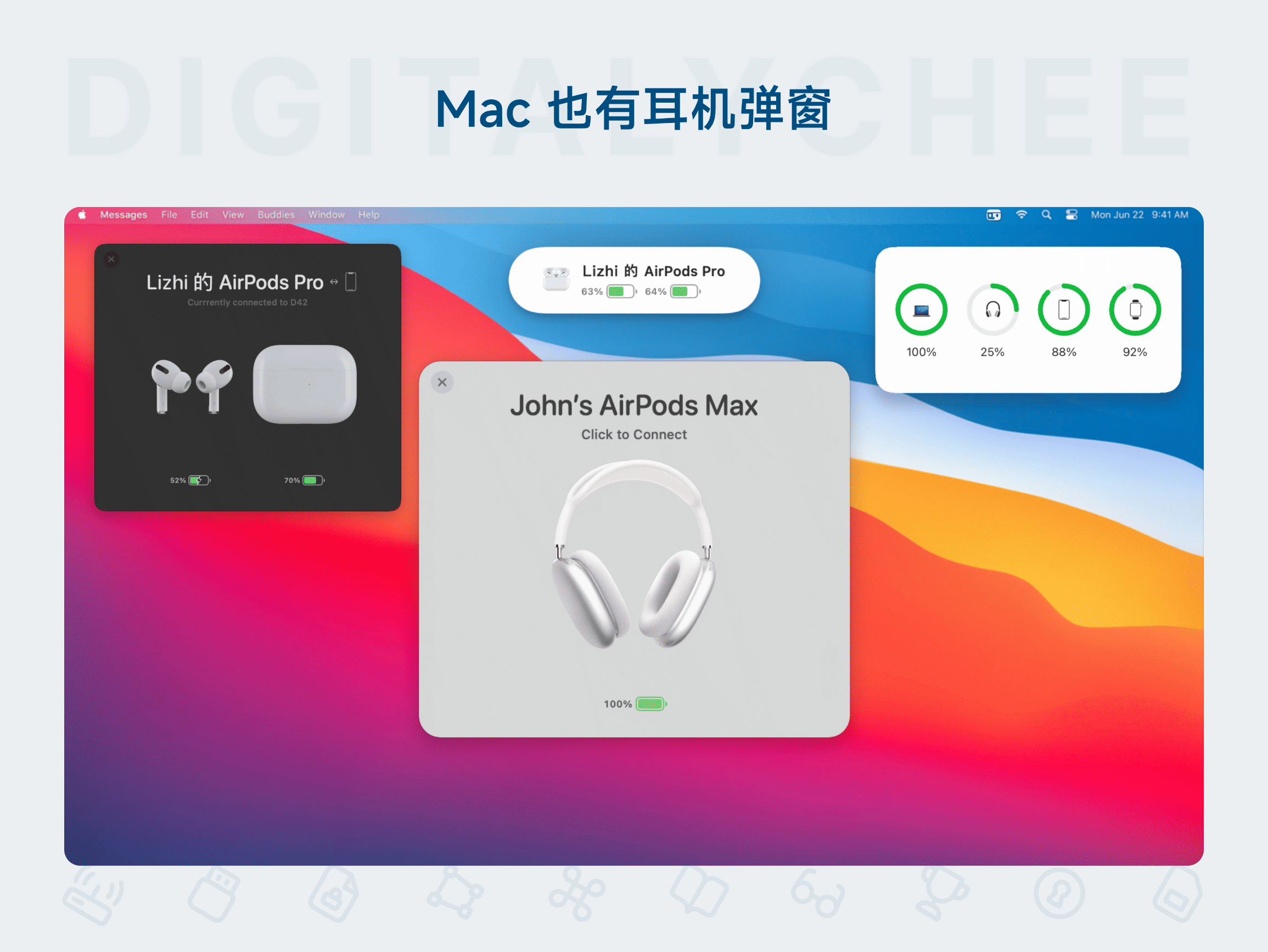
AirBuddy 2
AirBuddy 2 is an AirPods management tool designed specifically for Mac, bringing the convenient iPhone-like experience to macOS. It provides features like the opening connection animation, customizable shortcuts for switching noise cancellation modes, battery warning pop-ups, and menu bar previews. It monitors device status in real-time and allows one-click switching of peripherals. It solves the missing functionality when using AirPods with Mac, improving wireless earbud management efficiency. It is suitable for daily office work, entertainment, and multi-device scenarios.

Batteries for Mac
Batteries for Mac is a peripheral battery management software designed for Mac users, supporting real-time display of battery status for Bluetooth devices like iPhones, iPads, and headphones. With one-click access via the menu bar, Touch Bar, or widgets, users can view multiple device battery levels and receive automatic low-battery alerts, helping effectively manage device battery life and improve work efficiency. Key highlights include batch display functionality, customizable low-battery thresholds, and aesthetically pleasing battery icon designs, ensuring clear and intuitive battery information to avoid the inconvenience of unexpected battery drain.
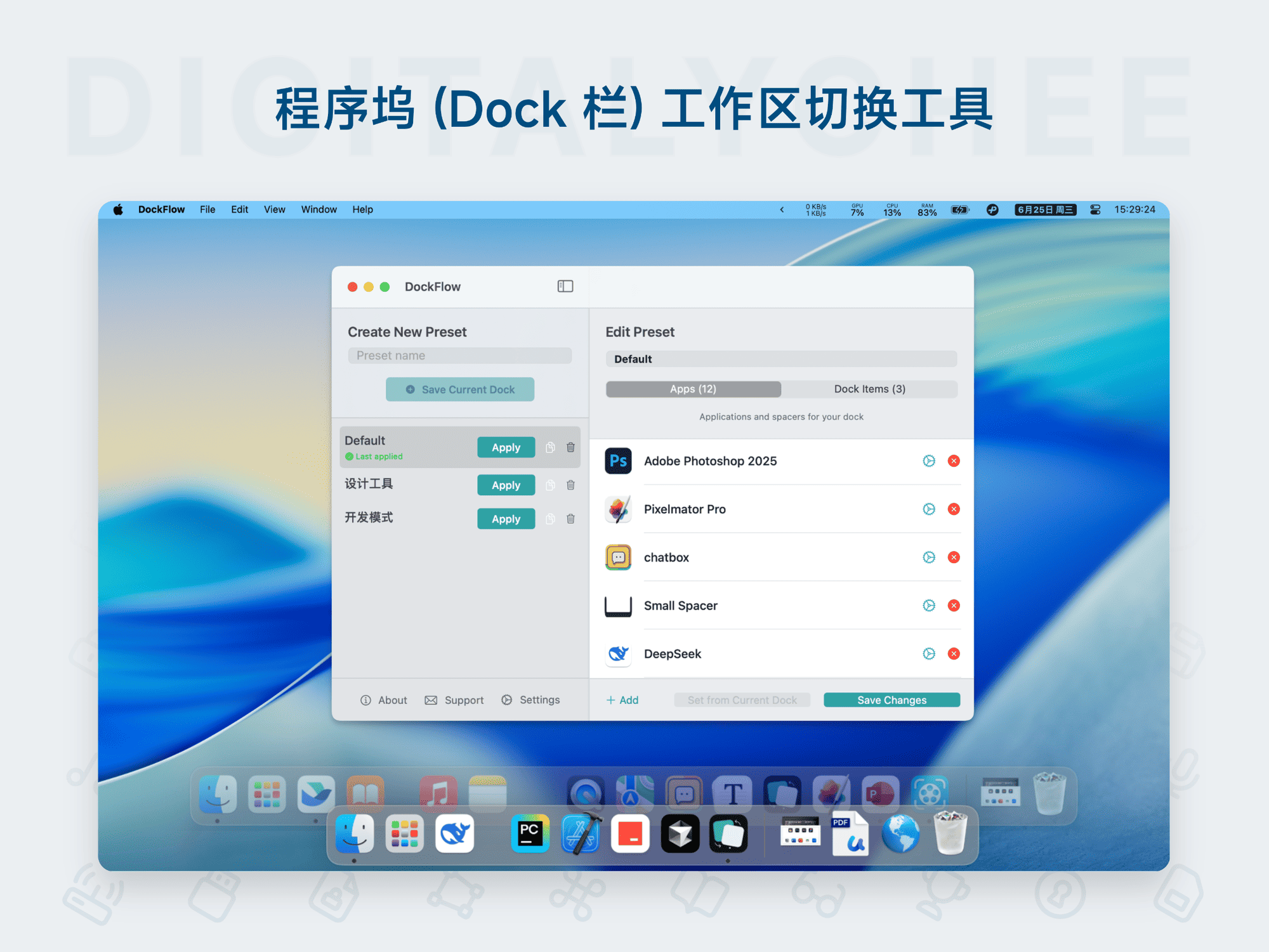
DockFlow
DockFlow is a custom layout tool for the macOS Dock, designed to help users quickly create and switch between multiple icon schemes to adapt to different work scenarios. Core features include: one-click Dock layout switching, support for adding folders, files, website links, and blank spacers; efficient operation via the menu bar, keyboard shortcuts, or Shortcuts; automatic closure of inactive apps and configuration backup support. It boosts productivity, keeps the desktop tidy, and makes multitasking smoother.
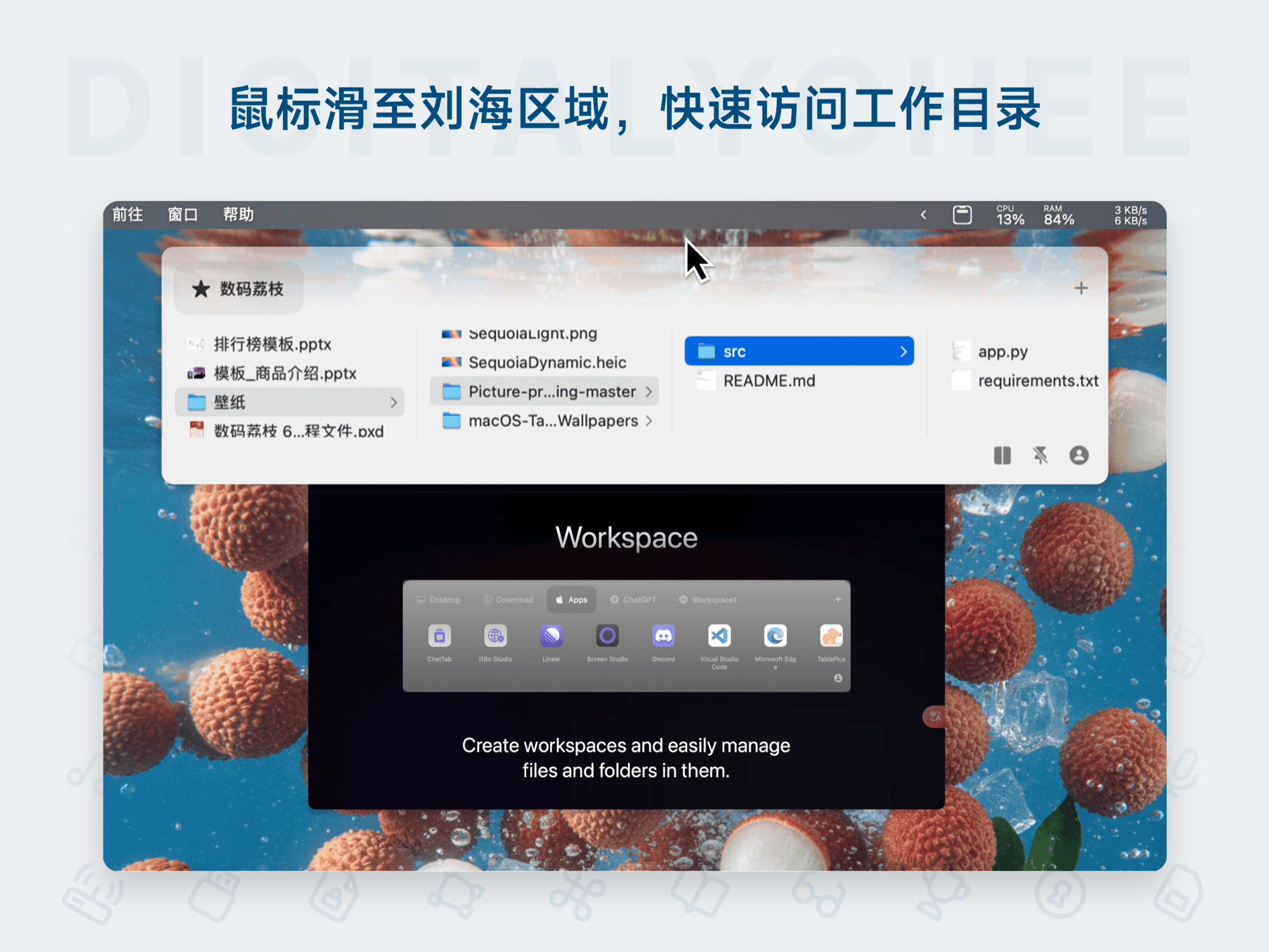
Folder Hub
Folder Hub is an efficient file browser designed for Mac, hidden in the notch or center of the menu bar. Instantly accessible via mouse hover or a hotkey, it allows quick access to frequently used files and folders without leaving the current window. It supports preview, sharing, drag-and-drop, and offers fun animations and customization, significantly boosting daily productivity for developers, designers, and professionals.
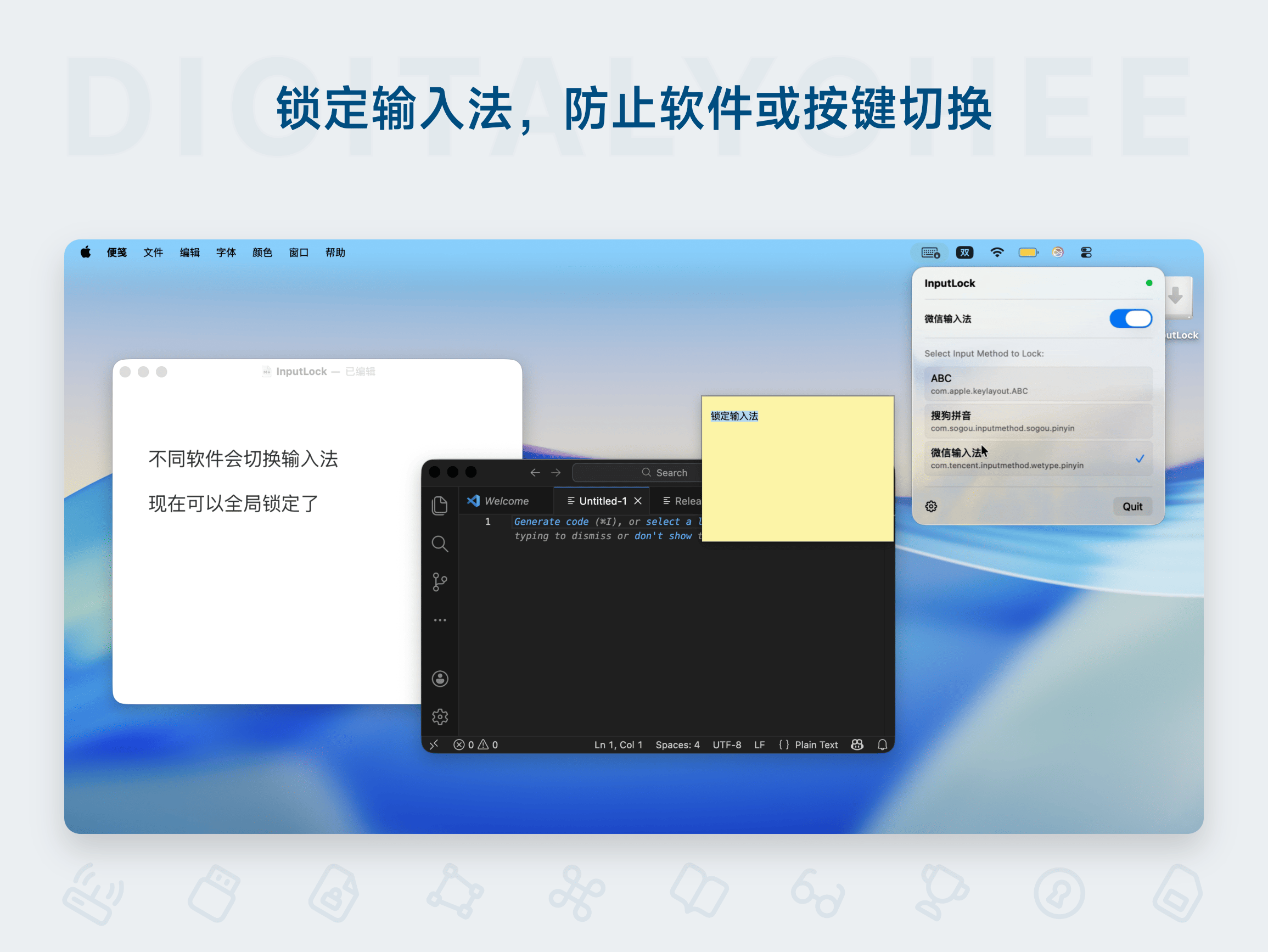
InputLock
InputLock is an input method locking tool designed specifically for Mac users, effectively solving the annoyance of automatic input method changes when switching between applications. By locking the set input method, it eliminates the need for frequent switching, enhancing typing efficiency and work focus. It supports one-click operation from the menu bar, runs silently in the background with low resource consumption. Suitable for various scenarios like programming and writing, it ensures input continuity, offers a 24-hour trial, and permanent activation.