Manico
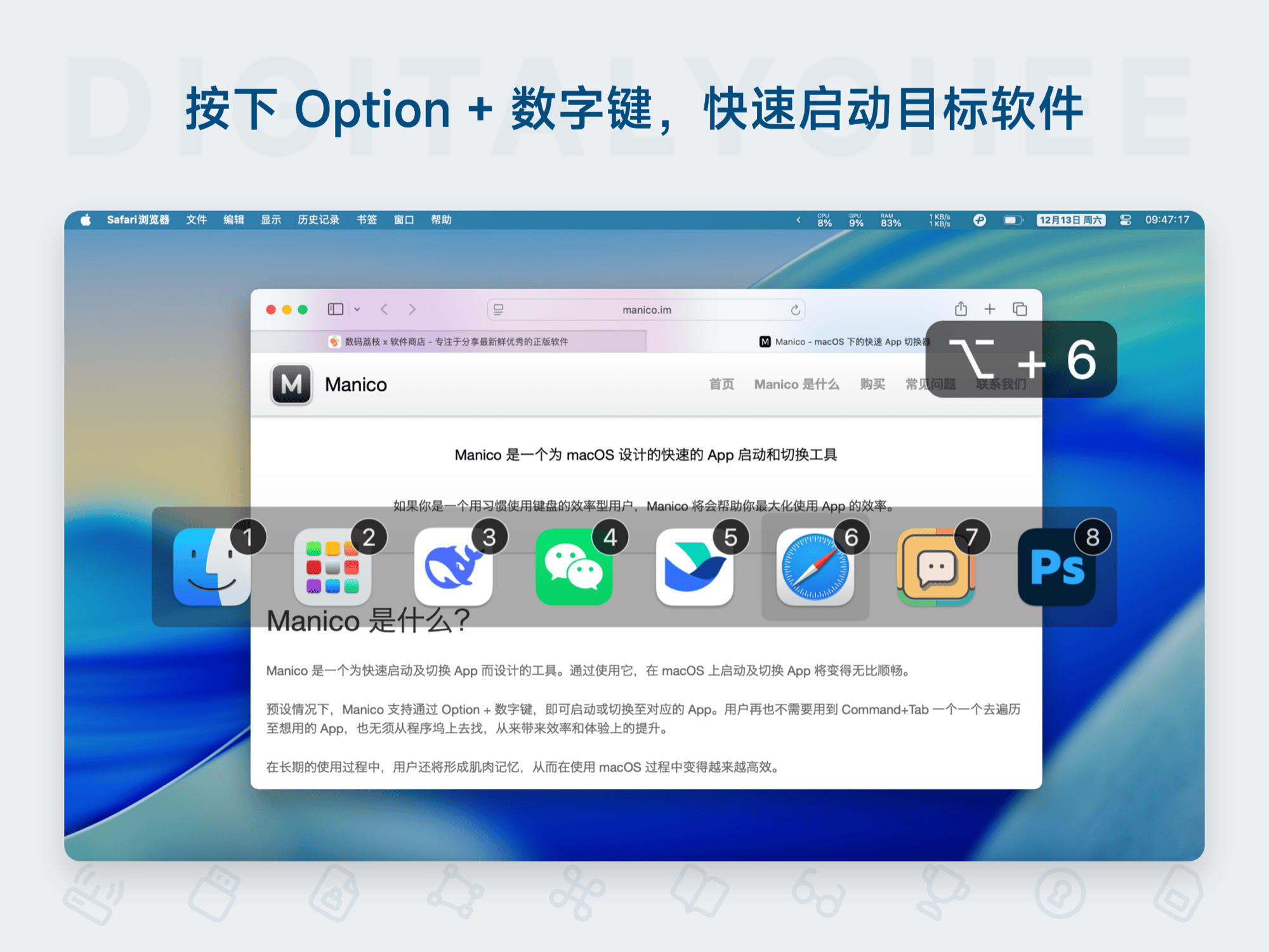
Manico is a dedicated quick launch and switching software for Mac, enabling one-key application launch/switch via Option + number keys, replacing the inefficient Command + Tab operation. It supports custom shortcuts, silent mode, and usage statistics, significantly enhancing multitasking efficiency. Suitable for all Mac users to improve work efficiency and experience.
Prices and billing cycles may contain errors. Please refer to the seller page.
You will be redirected to a third-party platform for transaction.
Manico - Mac App Quick Launcher and Switcher
Manico is an innovative application specifically designed for the macOS system, aiming to completely optimize your application management experience. It utilizes a simple Option key trigger mechanism, allowing you to launch, switch to, or hide target software with a single press of a number key (1-9) on the launch bar, eliminating the cumbersome sequential traversal of Command + Tab. Whether you are a Mac novice or a seasoned user, Manico can significantly boost your productivity, making multitasking effortless.
Core Features Explained
- Efficient Launching and Switching: Press the Option key to display the launch bar at the bottom, then press number keys 1-9 to perform corresponding actions. For example, Option+1 launches Firefox, Option+2 switches to Safari, Option+3 hides the current application—operations are intuitive and fast.
- Dual-Mode Intelligent Mapping: Dock Mode automatically maps to Dock icons; Switcher Mode maps to the Command + Tab list, requiring no manual configuration and seamlessly integrating with existing workflows.
- Deep Customization: Supports editing launch bar entries, adding/removing applications, setting custom shortcuts (e.g., Option+0 instead of Option+9), and even binding to global hotkeys to meet personalized needs.
- Appearance Adjustment: Allows modification of indicator color, position (top/bottom/left/right), and display/hide delay time (0.1-5 seconds), optimizing visual experience and operational comfort.
- Silent Mode: Enables Silent Mode for specific applications (e.g., system tools) to prevent accidental triggers; can also set a global silent state to effectively resolve hotkey conflicts.
- Usage Analytics: Built-in statistics panel that records detailed usage counts, frequency, and historical data for Manico itself and other applications, helping you scientifically analyze work habits and optimize daily operations.
Comprehensive Coverage of Applicable Scenarios
Manico perfectly matches various user needs:
- Office Scenarios: Quickly switch between applications like Word, Excel, and email, reducing mouse usage, and improving task processing speed and focus.
- Creative Design: Designers seamlessly switch between Photoshop, Sketch, and browsers, maintaining creative flow and avoiding thought interruptions.
- Learning Scenarios: Students efficiently switch between note-taking software, reference materials, and browsers, improving learning efficiency and information integration.
- Daily Use: Reduces hand fatigue, improves operational comfort, and makes multitasking smarter and easier.
Activation and Usage Guide
After purchase, you will receive an activation code. Activation steps are as follows:
- After installing Manico, click the menu bar icon and select "Purchase > Activate License".
- In the pop-up window, enter your registered email and paste the activation code.
- Click the "Activate License" button to complete activation.
Manico offers a 14-day free trial, allowing you to fully experience its powerful features. It's ready to use upon installation, requiring no complex configuration. It supports activation on 3 devices, offers a permanent license, and provides free updates for minor versions. Get it now to make your Mac operations smarter and more efficient!
Note: This software is genuine licensed, ensuring worry-free use.
Product information is for reference only. Please refer to the purchase page.