Directory
Developer Zone
Design & Creativity
Productivity
Other Utilities
Others
LightPaper
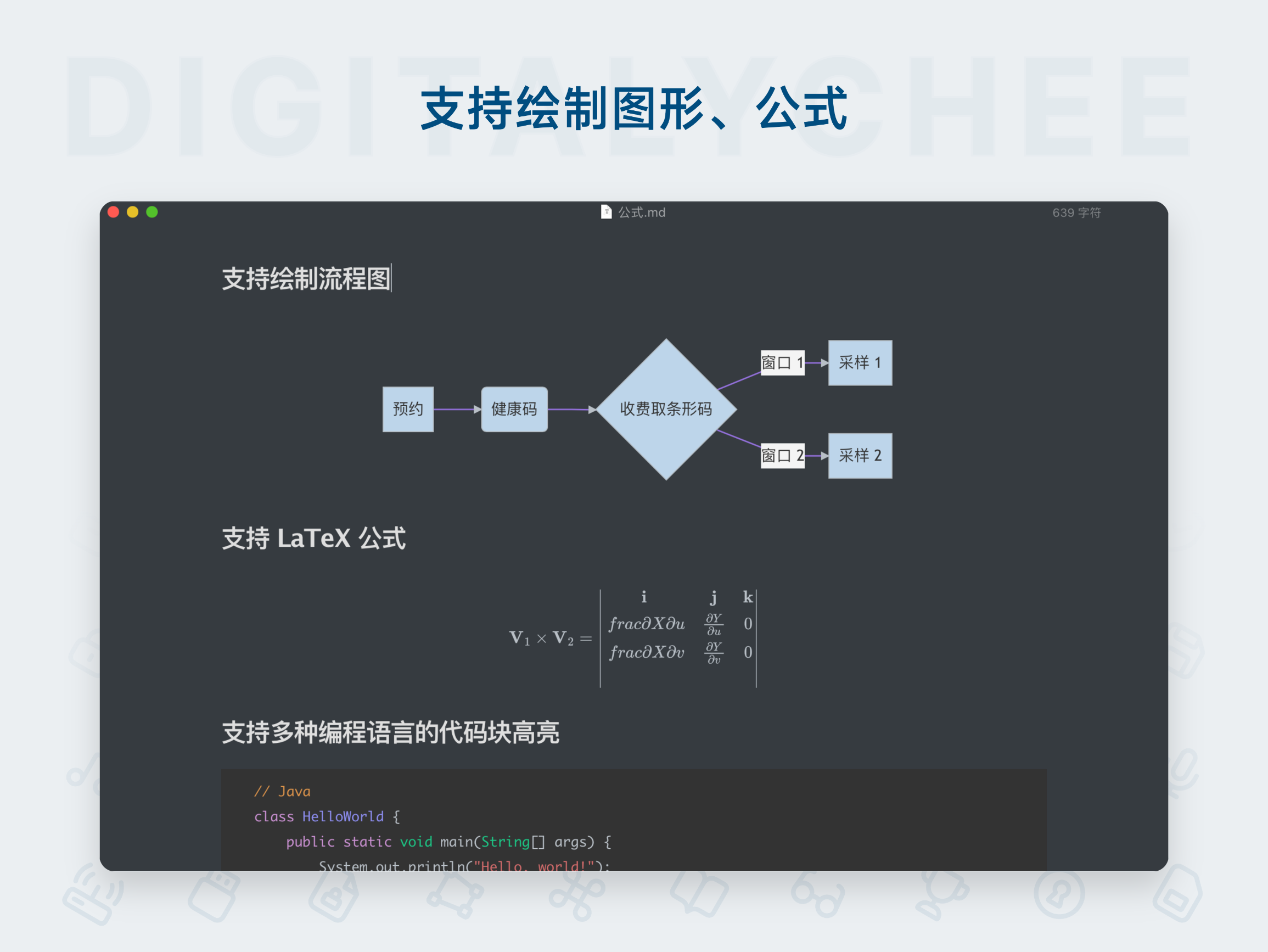
LightPaper is a powerful Markdown editor featuring real-time preview, code highlighting, format conversion, and offline writing, meeting the needs of efficient content creation and management.
LightPaper | Powerful macOS Note-Taking & Markdown Editor
Application Overview
LightPaper is a sleek, feature-rich macOS application designed to meet all your writing and note-taking needs. Whether you're a professional writer, blogger, developer, academic, or student, LightPaper offers comprehensive support.
Core Features & Highlights
1. Multi-functional Sidebar
- Powerful Folder Navigator: Open multiple folders simultaneously and browse all documents.
- Efficient Operations: Quickly open documents with a double-click; easily create new documents/folders, delete, or rename items.
- Fast Search: Use the "Quick Open" feature to perform fuzzy searches across all files.
- Favorites: Add frequently used files or folders to your Favorites for instant access.
- Centralized Note Management: Access all your Shadow Notes and Scratch Notes from the sidebar.
2. Unique Shadow Notes & Scratch Notes*
- Shadow Notes: A core feature that lets you take notes on nearly anything — applications, files, folders, browsers, or even specific URLs within a browser.
- Scratch Notes: Switch to scratch mode with a single click to quickly jot down draft notes.
- System-Wide Accessibility: Both types of notes can be accessed directly from the system menu bar without opening the main app.
- Full Feature Support: Fully supports Markdown, syntax highlighting, and quick preview.
- Seamless Sync & Save: Notes automatically sync to the main LightPaper app, where you can continue editing or save them as regular Markdown files locally.
Note: This feature requires macOS 10.10 or later.
3. Tabbed Interface Support
- Efficient Management: Unlike most Markdown editors, LightPaper supports multi-tabbed editing, helping you stay organized and boost productivity.
- Fast Switching: Use the tab switcher to navigate between tabs quickly without relying on the mouse.
- Right-Click Shortcuts: Right-click on a tab to perform actions like “Show in Sidebar”, “Show in Finder”, or “Add to Favorites”.
4. Live Preview & RealPreview
- Live Preview: Offers fast, real-time preview so you can see how your document will look as you write.
- Custom Styling: Customize the appearance of your output using pre-defined styles or create your own.
- External Window Preview: Preview in a separate external window — ideal for presentations or use with a second monitor.
- RealPreview: A unique feature that lets you preview how your article will appear on a live website before publishing, with support for custom CSS.
5. Other Productivity Tools
- Editor Outline: Displays all headings and code blocks for quick navigation within your document.
- Smart Drag-&-Drop: No need to memorize Markdown syntax for links or images — simply drag files into the editor, and LightPaper automatically inserts the correct syntax.
- Full Markdown Support: Supports full GitHub Flavored Markdown (GFM), including GitHub Tasks, Jekyll rendering, math formula rendering, and developer-friendly syntax highlighting.
- Distraction-Free Mode: Provides a clean writing interface to help you focus on content creation.
Key Advantages Summary
- All-in-One Writing Solution: Combines note-taking, article writing, and blog/technical documentation editing into a single, highly integrated tool.
- Unmatched Convenience: The innovative “Shadow Notes” feature enables instant idea capture from anywhere, dramatically expanding the use cases for note-taking.
- Enhanced Productivity: Features like multi-tabbing, quick open, and editor outline streamline document management and editing workflows.
- Writing & Presentation in One: Offers a smooth Markdown editing experience, enhanced by powerful live preview and the unique “RealPreview” for accurate final output.
- Professional & Compatible: Full support for GFM, Jekyll, and math formulas meets the needs of developers, technical writers, and academic users.
- User-Friendly Interface: Sidebar management, customizable styles, and distraction-free mode make the app both powerful and easy to use.
In summary, LightPaper is an excellent Markdown editor and note-taking tool that hides powerful features beneath a clean, minimalist interface. Its unique “capture ideas anytime, anywhere” philosophy combined with efficient organization and preview capabilities makes it ideal for macOS users who value efficiency and quality.
All software data on this site is synchronized from the Awesome mac project. Copyright belongs to original authors.
Recommended Apps

Marked 2
Marked 2 is a professional Markdown document preview and editing tool that supports real-time preview, multi-format export, and custom styling, helping you write and organize documents more efficiently.

MarkText
MarkText is a free and open-source markdown editor that offers real-time preview and WYSIWYG editing experience. With a clean and elegant interface, it supports multiple themes and export formats, making it an ideal choice for writing, note-taking, and document editing.

Marp
Marp is a modern presentation tool based on Markdown, enabling users to quickly create beautiful slides using plain text syntax. It supports code highlighting, mathematical formulas, and customizable themes, making it especially suitable for technical presentations, academic reports, and everyday demonstrations.
Marxico
Marxico is a professional Markdown editor specifically designed for Evernote, supporting real-time preview, offline editing, and code highlighting, making writing and knowledge management more efficient and seamless.

Wise Words
Miaoyan is an elegant and minimalist Markdown editor for Mac, featuring real-time preview and code highlighting, offering a focused writing environment. It is the ideal choice for programmers and writers alike.
MWeb
MWeb is a professional Markdown editor that integrates writing, note management, and blog publishing. It supports multiple image hosting services, code highlighting, and static blog generation, making it an efficient writing tool for knowledge workers and developers.
Comments