Directory
Developer Zone
Design & Creativity
Productivity
Other Utilities
Others

MarkText
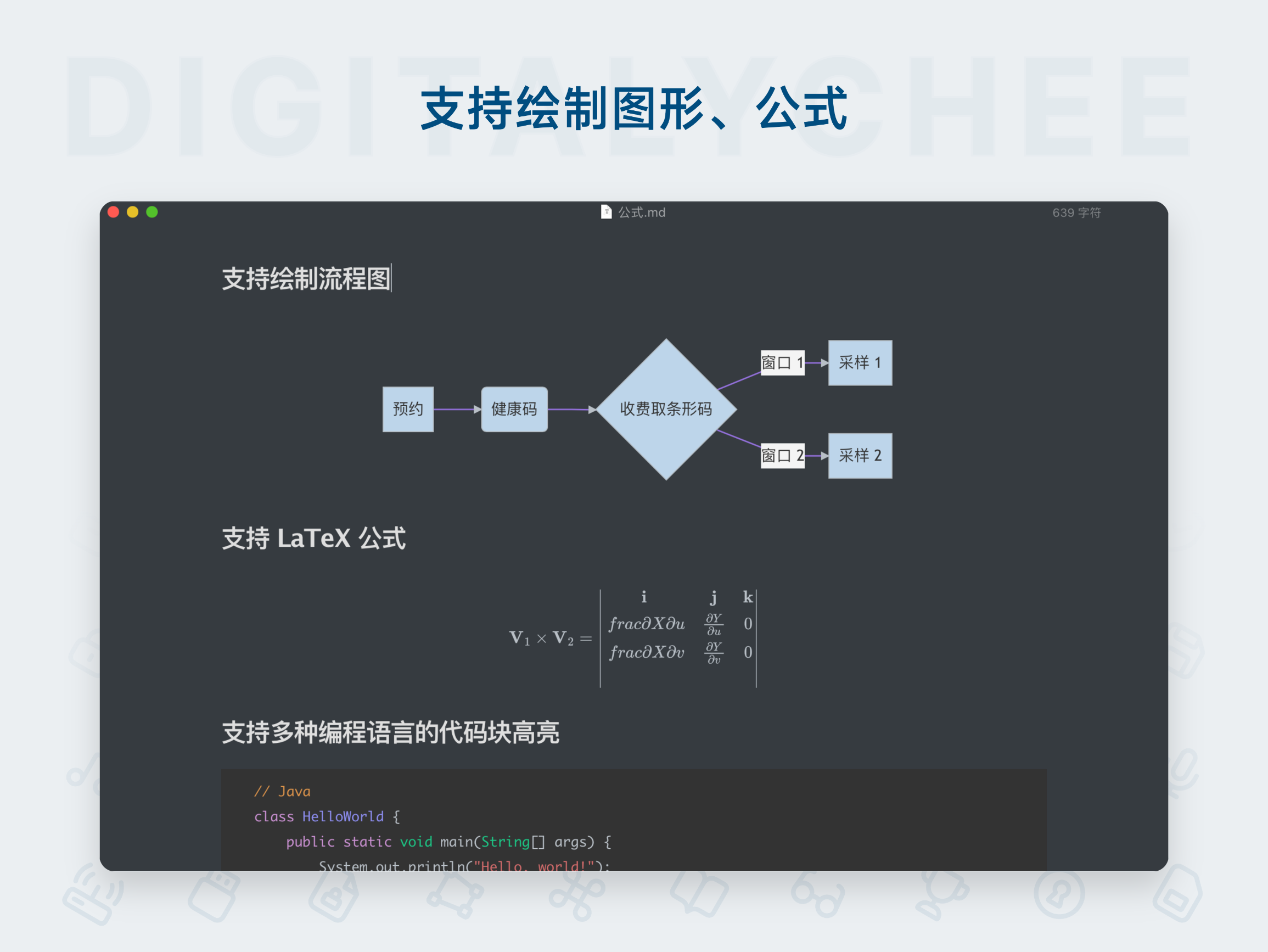
MarkText is a free and open-source markdown editor that offers real-time preview and WYSIWYG editing experience. With a clean and elegant interface, it supports multiple themes and export formats, making it an ideal choice for writing, note-taking, and document editing.
MarkText - Elegant and Efficient Markdown Editor for macOS
MarkText is a free, open-source Markdown editor focused on speed and elegance. It follows a "What You See Is What You Get" (WYSIWYG) design philosophy, allowing users to preview the final rendered output in real-time while editing Markdown. This eliminates the distractions of traditional side-by-side split views, offering a smooth, immersive writing experience.
✨ Key Features
1. True WYSIWYG Editing
This is MarkText’s most distinctive feature. Markdown syntax (e.g., **bold**, # Heading) is instantly rendered into its final formatted appearance, rather than showing raw markup. You edit like a rich text document, while still working with clean Markdown source code behind the scenes.
2. Multiple Editing Modes
To accommodate diverse user preferences, MarkText offers three viewing modes:
- WYSIWYG Mode: The default immersive experience.
- Source Code Mode: Focuses on pure text Markdown editing.
- Typewriter Mode: Automatically centers the current editing line on-screen, reducing eye strain and enhancing focus on the current paragraph.
3. Powerful Markdown Extensions Support
- GitHub Flavored Markdown (GFM): Full support for task lists, tables, code blocks, etc.
- Mathematical Formulas: Built-in KaTeX support for easy editing and rendering of math equations.
- Flowcharts & Diagrams: Supports Mermaid for creating flowcharts, sequence diagrams, Gantt charts, etc.
- Emoji Input: Trigger emoji completion with
:.
4. Deep Integration & Convenient Operations
- Image Management: Supports drag-and-drop or copy-paste image insertion. You can save images locally or upload them automatically to image hosting services (e.g., Imgur, requires configuration).
- Themes & Code Highlighting: Offers multiple beautiful CSS themes (e.g., Cadmium Light, Graphite Dark, Material Dark) and rich syntax highlighting themes for code blocks.
- Folder & File Management: Built-in file tree for easy navigation and creation of files within project directories.
- Multi-Tab & Split View: Supports opening multiple documents simultaneously with vertical or horizontal split views for side-by-side editing.
- Flexible Export: Documents can be exported to HTML and PDF formats. With the Pandoc plugin (requires manual installation), you can also export to Word, ePub, LaTeX, and other formats.
5. Focused Writing Environment
- Distraction-Free Mode: Hides all UI controls, leaving only the clean editing area.
- Auto-Save: All changes are automatically saved, eliminating the risk of data loss.
- Search & Replace: Supports powerful global search and replace functionality.
⭐ Unique Advantages
- Completely Free & Open Source: Licensed under MIT, no subscription fees required, secure, transparent, and community-driven.
- Cross-Platform Compatibility: Available for macOS, Windows, and Linux, ensuring consistent experience across operating systems.
- Excellent Performance: Built with Electron but optimized for speed—fast startup and smooth rendering, even with large documents.
- Modern & Elegant Design: Clean, intuitive interface that follows macOS design guidelines, with smooth animations and high visual appeal.
- Chinese-Friendly: Excellent handling of Chinese fonts, layout, and input, with no compatibility issues.
- Highly Customizable: Allows deep customization of the editor's appearance by modifying CSS files to meet personalized needs.
🆚 Comparison with Similar Tools
Compared to Typora (which became paid in later versions), MarkText offers an equally excellent and completely free alternative. Compared to Ulysses or Bear—applications primarily focused on library and note management—MarkText emphasizes in-depth editing and rendering of individual Markdown files, making it ideal for writing blogs, technical documentation, reports, etc.
📦 Ideal For
- Bloggers and content creators who value focus and smooth writing flow.
- Developers and technical writers who need to create documents with code and mathematical formulas.
- Students and researchers writing papers or notes with embedded equations.
- Anyone who loves Markdown and dislikes traditional “source-preview” split editors.
- Users seeking high-quality, free, open-source software.
Summary
MarkText seamlessly combines the simplicity of Markdown with the elegance and modernity of a contemporary editor. Its WYSIWYG feature lowers the barrier to using Markdown, while its powerful extensions and open-source, free nature make it a reliable productivity tool for professionals. For macOS users, it’s a must-try, high-quality Markdown editor.
All software data on this site is synchronized from the Awesome mac project. Copyright belongs to original authors.
Recommended Apps

Marp
Marp is a modern presentation tool based on Markdown, enabling users to quickly create beautiful slides using plain text syntax. It supports code highlighting, mathematical formulas, and customizable themes, making it especially suitable for technical presentations, academic reports, and everyday demonstrations.
Marxico
Marxico is a professional Markdown editor specifically designed for Evernote, supporting real-time preview, offline editing, and code highlighting, making writing and knowledge management more efficient and seamless.

Wise Words
Miaoyan is an elegant and minimalist Markdown editor for Mac, featuring real-time preview and code highlighting, offering a focused writing environment. It is the ideal choice for programmers and writers alike.
MWeb
MWeb is a professional Markdown editor that integrates writing, note management, and blog publishing. It supports multiple image hosting services, code highlighting, and static blog generation, making it an efficient writing tool for knowledge workers and developers.

Obsidian
Obsidian is a powerful personal knowledge management tool that uses a local-first, plain-text Markdown note-taking system. It supports bidirectional linking to build a knowledge graph, helping you efficiently connect ideas and create your own personalized "second brain.

Typora
Typora is a revolutionary Markdown editor that introduces a seamless real-time preview "what you see is what you get" editing mode. It offers a clean, distraction-free writing interface with full support for tables, code highlighting, mathematical formulas, and other rich features, allowing you to focus entirely on content creation.
Comments