Directory
Developer Zone
Design & Creativity
Productivity
Other Utilities
Others
MWeb
MWeb is a professional Markdown editor that integrates writing, note management, and blog publishing. It supports multiple image hosting services, code highlighting, and static blog generation, making it an efficient writing tool for knowledge workers and developers.
MWeb - Powerful Markdown Writing, Note-taking, and Static Blog Generator
 Note: An app logo image can be added here
Platforms: macOS, iPadOS, iOS
Pricing: One-time purchase for MWeb Pro Lifetime Edition
Overview
Launched in 2015, MWeb is a professional application dedicated to Markdown writing, knowledge management, and static blog generation. It is not merely a simple editor, but a complete ecosystem composed of four core modules, offering an efficient, stable, and elegant integrated solution for writers, note enthusiasts, and content publishers. Its design philosophy emphasizes native platform experience — built with AppKit on macOS for seamless system integration and smooth performance.
If you seek an efficient, pure writing experience or need a powerful tool for managing personal knowledge, MWeb is definitely worth exploring in depth.
Core Functional Modules & Advantages
MWeb’s strength lies in its clearly defined four functional modules, each deeply optimized for specific use cases.
1. Powerful and Elegant Editor
The foundation and core of MWeb, offering an exceptional writing and editing experience.
- Extensive Syntax Support: Based on
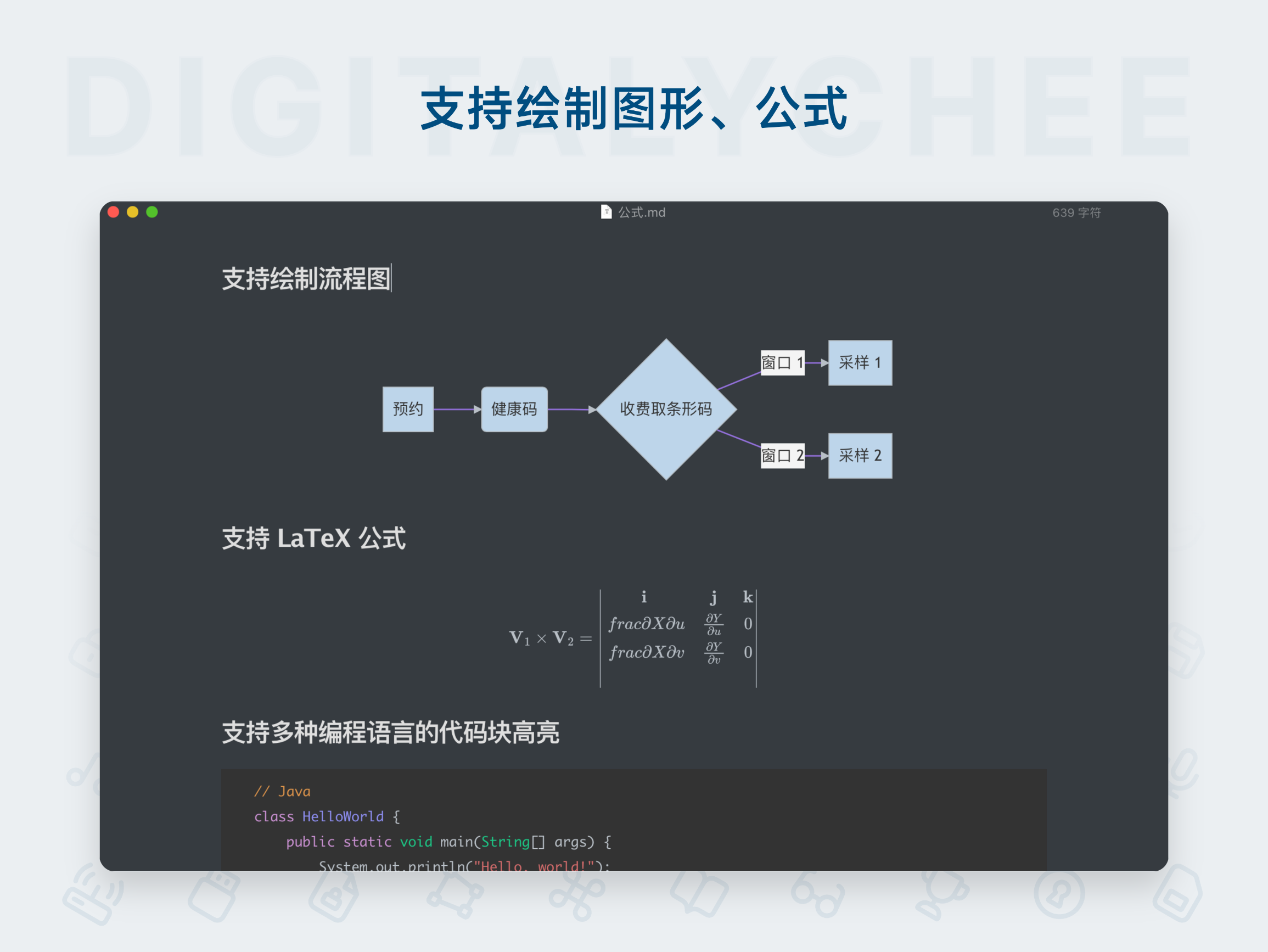
CommonMarkandGitHub Flavored Markdown (GFM)standards, fully supports tables, TOC, code blocks, mathematical formulas, task lists, footnotes, and more. - WYSIWYG Experience: Images (JPG, PNG, GIF, WebP, HEIC, etc.) are rendered directly in the editor, with real-time preview of mathematical formulas, Mermaid diagrams/charts, and Echarts visualizations for a more intuitive creation process.
- Highly Customizable:
- Rich Themes: Offers 11 light and 21 dark themes, plus support for custom themes to suit different aesthetics and writing environments.
- Flexible Fonts: Allows setting one or more preferred fonts for writing.
- Efficient Editing Assistance:
- Provides convenient Markdown syntax input menu (iOS version includes a dedicated syntax keyboard).
- Built-in powerful table generation and formatting tools.
- Real-time document outline and word count display (on macOS, the outline can be docked to the editor’s side).
- Supports precise Live Preview mode for editing.
2. Folder Mode — Document Project Management Expert
Designed for managing existing Markdown projects or static blogs, with features comparable to a professional document IDE.
- Flexible File Operations: Create new Markdown/TextBundle documents or open existing local documents for editing.
- Effortless Project Management: Import any folder containing Markdown files into MWeb to gain enhanced features such as tree-based structure management, full-text search, and unified storage of referenced images.
- Platform-Optimized Design:
- macOS: Classic dual-pane layout (left tree, right text), fully supports multi-window and multi-tab system features for efficient handling of multiple documents.
- iPadOS: Supports multi-window and adaptive toolbars, maximizing tablet productivity.
- Seamless Static Blog Support: Directly import source directories of static blogs like
JekyllorHexofor easy management and editing — a perfect assistant for static blog authors. - Cloud Storage Integration: iPadOS/iOS versions support importing Dropbox folders for cross-device project syncing.
3. Document Library Mode — Personal Knowledge Base & Note Center
Designed to solve core note-taking pain points, ideal for building your personal second brain.
- Stress-Free Recording: No need to worry about filenames or storage paths — open and write immediately, focusing on content creation.
- Flexible Knowledge Organization: Uses a category tree + tags dual management system. A single note can belong to multiple categories, making organization and knowledge linking effortless.
- Robust Document Management: When moving or renaming categories or notes, the system automatically updates internal links and attachment references — no broken links to worry about.
- Powerful Syncing & Backup:
- Achieves full cross-device syncing (macOS / iPadOS / iOS) via iCloud CloudKit.
- Follows a "local-first" principle: all data is centralized in a single local folder, making backup and management easy — even with iCloud sync, a full local backup is always available.
- Rich Export Capabilities:
- Export entire categories of notes as well-structured PDF or Epub e-books with one click.
- (macOS Pro Feature) Generate a fully functional static blog website directly from a category, with full support for mathematical formulas, Mermaid diagrams, etc. — enabling zero-barrier personal blogging.
4. Publishing, Uploading & Export — Content Sharing Pipeline
Provides a one-stop solution for content publishing and export, connecting writing to sharing.
- One-Click Publishing: Supports publishing documents to multiple platforms including WordPress, Metaweblog API, Evernote, Blogger, Medium, Ghost, Tumblr, Yuque, and Shaoxu Pai Matrix, with most platforms supporting updates to existing posts. Images within documents are automatically uploaded during publishing.
- Image Hosting Integration: Built-in support for various image upload services — upload images from documents directly to Imgur, Qiniu Cloud, UpYun, Tencent Cloud COS, Alibaba Cloud OSS, SM.MS, Cloudflare R2, Amazon S3, Azure Blob, or custom APIs.
- Multi-Format Export: In addition to PDF and Epub, documents can be exported as images to meet diverse sharing needs.
Additional Advanced Features
- Customizable editor themes and preview CSS styles.
- Customizable static website generation templates.
- System-level spell checking.
- Document version history management.
- … and more features continuously being added.
Media Reviews
- Shaoxu Pai: “MWeb is a highly cost-effective Markdown editor — the features it offers are absolutely worth the price.”
- MacWangLeFa: “MWeb is an all-in-one solution for Markdown editing and static website generation.”
- MWeb won the Shaoxu Pai 2015 Mac App of the Year award.
Conclusion
MWeb is a comprehensive, professionally designed, and smoothly performing Markdown application. It successfully integrates a powerful editor, flexible file management, efficient note-taking system, and convenient publishing workflow into one, covering the entire process from idea recording, deep writing, knowledge management to content publishing. Whether you are a programmer, writer, student, or anyone who works extensively with text, MWeb provides robust and intuitive tools — an indispensable productivity tool in the macOS ecosystem.
All software data on this site is synchronized from the Awesome mac project. Copyright belongs to original authors.
Related Articles
Recommended Apps

Obsidian
Obsidian is a powerful personal knowledge management tool that uses a local-first, plain-text Markdown note-taking system. It supports bidirectional linking to build a knowledge graph, helping you efficiently connect ideas and create your own personalized "second brain.

Typora
Typora is a revolutionary Markdown editor that introduces a seamless real-time preview "what you see is what you get" editing mode. It offers a clean, distraction-free writing interface with full support for tables, code highlighting, mathematical formulas, and other rich features, allowing you to focus entirely on content creation.

Ulysses
Ulysses is a professional writing app awarded the Apple Design Award, designed specifically for Mac, iPad, and iPhone. It offers a distraction-free writing environment, powerful project management, multilingual grammar checking, and one-click publishing to blogs or exporting in formats such as e-books and PDFs. It is the ideal choice for writers, bloggers, and content creators.

Yu Writer
Yu Writer is a well-designed cross-platform Markdown editor featuring an elegant and minimalist interface with real-time preview. It supports three-panel view, document library management, and customizable themes, delivering a clean and efficient writing experience for creators.

Zettlr
Zettlr is a free and open-source Markdown editor designed specifically for academic writing and knowledge management. It integrates project management, reference support (Zotero), Zettelkasten note-taking methodology, and multiple format outputs, serving as an efficient writing workspace for scholars and researchers.

Cmd Markdown
Cmd Markdown is a powerful professional Markdown editor that delivers an exceptional writing experience. It supports real-time preview, mind mapping, code highlighting, and cloud synchronization, making it an ideal knowledge management tool for writers and programmers.
Comments