Directory
Developer Zone
Design & Creativity
Productivity
Other Utilities
Others

Typora
Typora is a revolutionary Markdown editor that introduces a seamless real-time preview "what you see is what you get" editing mode. It offers a clean, distraction-free writing interface with full support for tables, code highlighting, mathematical formulas, and other rich features, allowing you to focus entirely on content creation.
Typora: An Exquisitely Minimal Markdown Editor
Overview
Typora is a forward-thinking Markdown editor designed for macOS. It breaks away from the traditional split-view model of editing and previewing, introducing a seamless "What You See Is What You Mean" real-time editing experience that lets you focus entirely on content creation. Behind its minimalist, elegant interface lies a powerful and feature-rich tool.
Core Features and Advantages
1. Immersive Writing Experience
- Seamless Real-Time Preview (What You See Is What You Mean): Typora eliminates code windows, preview panels, mode-switching buttons, and syntax symbols (like
**,[], etc.) in source format. It renders content instantly as you type, letting you experience Markdown’s simplicity while immediately seeing the final formatting — enabling true focus on writing. - Clean, Distraction-Free Interface: The app follows a minimalist design philosophy, offering a pure, uncluttered interface that minimizes visual distractions and provides an immersive writing environment.
2. Comprehensive and Powerful Functionality
Typora fully supports CommonMark and GFM (GitHub Flavored Markdown), with extensive built-in extensions:
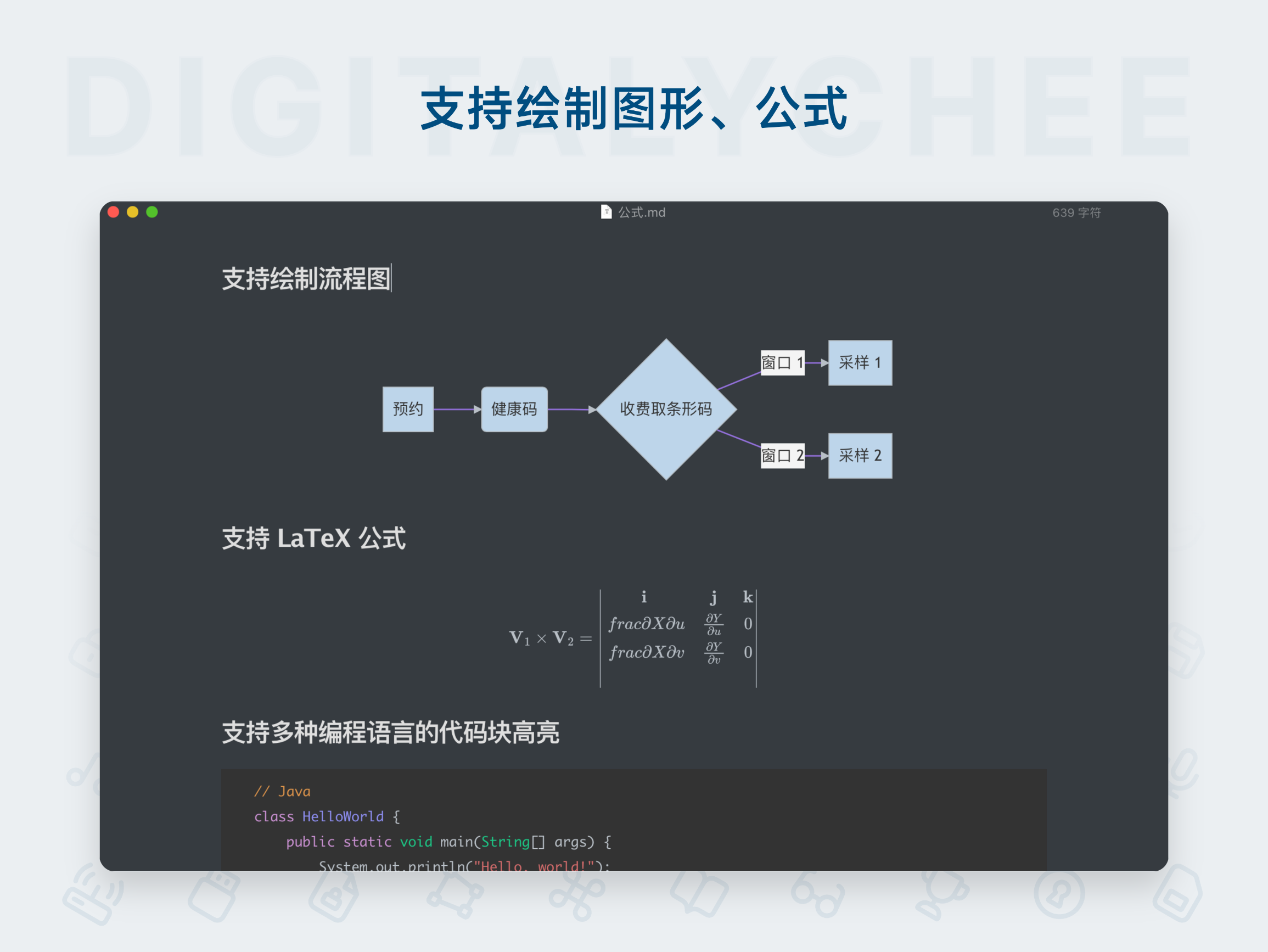
- Rich Text Editing: Effortlessly handle images, multi-level headers, lists, tables, code blocks, mathematical formulas, diagrams, inline styles, and more.
- Convenient Table Operations:
- Resizing: Adjust column widths by dragging with the mouse.
- Reordering: Easily rearrange rows and columns.
- Quick Insertion: Generate tables via keyboard shortcuts or by typing Markdown syntax directly.
- Professional Code Editing:
- Supports syntax highlighting for nearly 100 programming languages.
- Enables line number display for easier navigation and debugging.
- Advanced Mathematical Formula Support:
- Built-in MathJax Extension: Supports chemical equations (mhchem), AMSmath, BBox, and more.
- Automatic Numbering: Automatically number equations (enable in Preferences) — ideal for math research or academic note-taking.
3. Excellent Image Handling
- Simplified Insertion: Drag-and-drop to insert images effortlessly.
- Smart Display: Images are shown directly in the editor (not as Markdown code), enhancing visual continuity.
- Image Upload & Service Integration (macOS): Seamlessly integrates with services like iPic, allowing one-click upload to cloud servers — solving the common issue of sharing Markdown files containing images.
- Precise Size Control: Customize image dimensions or scaling using
<img>tags, ideal for high-resolution displays like Retina. - Relative Path Support: Configure relative paths for local images — perfect for static blogs or project documentation.
4. Convenient Document Structure and Navigation
- Auto-Generated Table of Contents (TOC): Simply type
[TOC]to automatically generate a TOC based on all headers, making document structure instantly clear. - Internal Links / Anchors: Create hyperlinks to any header within the document for quick navigation.
5. Flexible Content Organization and Styling
- Efficient List Management:
- Supports ordered, unordered lists, and GFM task lists.
- Use
TabandShift+Tabto indent or outdent — just like in a rich text editor — for easy nested list structuring. - Switch list types quickly via keyboard shortcuts, right-click menu, or Touch Bar.
- Rich Text Styling:
- Supports bold, italics, blockquotes, and other inline styles.
- Excellent rendering and layout support for CJK characters (Chinese, Japanese, Korean).
- Supports emoji auto-completion for input.
- Custom CSS Styling: Allows custom CSS to modify fonts, alignment, and more — even enabling advanced features like automatic header numbering, offering high personalization flexibility.
6. Innovative Diagram Drawing
Typora integrates a powerful diagram rendering engine to generate visual diagrams directly from text:
- Flowcharts: Create SVG flowcharts from simple text descriptions.
- Sequence Diagrams: Draw basic SVG sequence diagrams.
- Mermaid Support: Generate complex flowcharts, sequence diagrams, Gantt charts, and more.
- Real-Time Syntax Validation: Provides error hints during input if syntax is incorrect.
7. Productivity Tools
- Extensive Keyboard Shortcuts: Offers a familiar, efficient keyboard shortcut system.
- Touch Bar Support (Mac): Provides quick access to commands on MacBooks with Touch Bar.
- Flexible Linking: Create links to internal headers, other Markdown files, or external web pages.
Conclusion
Typora is more than just a Markdown editor — it redefines the interaction model for Markdown writing. It seamlessly integrates powerful features into an elegantly minimal interface, achieving an ideal balance between readability and writability. Whether you're taking notes, writing technical documentation, managing to-do lists, or creating content with complex layouts and diagrams, Typora is an efficient, elegant, and reliable choice. For macOS users seeking focused writing and refined experience, it is an indispensable digital pen and paper.
All software data on this site is synchronized from the Awesome mac project. Copyright belongs to original authors.
Recommended Apps

Ulysses
Ulysses is a professional writing app awarded the Apple Design Award, designed specifically for Mac, iPad, and iPhone. It offers a distraction-free writing environment, powerful project management, multilingual grammar checking, and one-click publishing to blogs or exporting in formats such as e-books and PDFs. It is the ideal choice for writers, bloggers, and content creators.

Yu Writer
Yu Writer is a well-designed cross-platform Markdown editor featuring an elegant and minimalist interface with real-time preview. It supports three-panel view, document library management, and customizable themes, delivering a clean and efficient writing experience for creators.

Zettlr
Zettlr is a free and open-source Markdown editor designed specifically for academic writing and knowledge management. It integrates project management, reference support (Zotero), Zettelkasten note-taking methodology, and multiple format outputs, serving as an efficient writing workspace for scholars and researchers.

Cmd Markdown
Cmd Markdown is a powerful professional Markdown editor that delivers an exceptional writing experience. It supports real-time preview, mind mapping, code highlighting, and cloud synchronization, making it an ideal knowledge management tool for writers and programmers.
Effie
Effie is a creative tool that integrates writing and mind mapping, supporting Markdown syntax and offering a clean, distraction-free writing environment to help creators focus on content creation and achieve efficient output.

EME
EME is an elegant open-source Markdown editor designed specifically for developers. Featuring real-time preview, code syntax highlighting, and cross-platform support, it delivers a clean and efficient writing experience.
Comments